
Author name: Technichole

Technichole is an Orlando, Florida–based home theater review site focused on TVs, soundbars, and smart setups that fit real homes and real budgets. We provide clear, honest guidance to help you build the perfect entertainment space without the hype.

Avatar photo
Hisense, TCL, Televisions

Hisense U6 & U7 vs TCL QM8K (65″): Why Hisense’s Premium U-Series Punches Above Its Price

Buying Guide · 65" Premium Mini-LED Showdown Hisense U6 & U7 vs TCL QM8K (65"): Why Hisense’s Premium U-Series Punches Above Its Price When you compare spec sheets instead of logos, it becomes clear that Hisense’s U-series plays in the premium space, not as a compromise. The 65" U6 delivers serious Mini-LED performance on a friendly budget, while the 65" U7 (65U75QG) pushes brightness, refresh rate, color, and audio to a level that challenges—and in key areas surpasses—flagship sets like the 65" TCL QM8K, often at a lower price. 65" Hisense U6 vs U7 vs TCL QM8K – 7 specs that actually matter This grid focuses on the seven most important things you will notice in real use: price, brightness, panel tech, refresh rate, color/HDR, audio, and smart/gaming features. The goal is simple: show why a premium Hisense U7 can be a smarter buy than another brand’s flagship. Spec focus Hisense U6 65" U65QF · Mini-LED QLED Hisense U7 65" U75QG · Mini-LED Pro TCL QM8K 65" 65QM8K · QD-Mini LED Price & value $547.99 Premium Mini-LED entry point that brings real HDR and gaming features to a friendly budget. $867.99 High-end performance positioning with features that rival and often beat other brands’ flagships while staying far below their prices. $1,297.99 Flagship pricing for TCL’s QD-Mini LED line, offering strong specs but at a noticeable premium over Hisense U7. Panel, backlight & brightness Mini-LED QLED with full array local dimming and up to 1,000 nits peak brightness. A dramatic upgrade over standard LED, ideal for mixed rooms and everyday HDR. Mini-LED Pro QLED with full array local dimming and up to 3,000 nits peak brightness. Built to cut through bright rooms and deliver blistering HDR highlights with excellent contrast. QD-Mini LED QLED with full array local dimming and very high HDR brightness. Impressive punch, but on paper the U7’s 3,000-nit spec is class-leading for its price. Refresh rate & gaming Native 144Hz panel with 144Hz Game Mode Pro and FreeSync Premium. Great for next-gen consoles at a value price, with smoother motion than 60Hz sets. Native 165Hz panel with Game Mode Ultra, FreeSync Premium Pro, and 4x HDMI 2.1. One of the fastest TV panels in its class—tailor-made for serious gaming and ultra-smooth motion. Native 144Hz panel with Motion Rate 480 and FreeSync Premium Pro. Strong gaming spec, but does not hit the U7’s 165Hz ceiling. Color system & HDR formats QLED Color with Quantum-style enhancement and Dolby Vision, HDR10+, HDR10, HLG support. Wide color and modern HDR at a very approachable price. QLED Color + Quantum HDR tuned by Hi-View AI Engine Pro. Supports Dolby Vision, HDR10+, HDR10, HLG with advanced tone mapping and anti-reflection for more consistent HDR. Enhanced QLED with QD-Mini LED and 4K HDR Pro processing. Also supports Dolby Vision, HDR10, HDR10+, HLG, delivering rich, saturated HDR. Audio & soundstage 2.1-channel, 40W with Dolby Atmos and DTS Virtual:X. Respectable built-in sound that pairs well with a future soundbar upgrade. 2.1.2-channel, 50W with Dolby Atmos, DTS Virtual:X, IMAX Enhanced and dedicated multi-channel surround design. One of the strongest integrated audio setups in its class; many users can comfortably skip a soundbar at first. Premium speaker system with Dolby Atmos and advanced surround modes. Good for a TV, but the U7’s 2.1.2-channel, 50W design is clearly built to compete above its price. Smart, tuner & connectivity Fire TV smart platform with Alexa built-in, Wi-Fi 6, and 4x HDMI (2x 2.1). Great fit for Amazon-centric homes and streaming-first setups. Google TV with Google Assistant built-in, support for Alexa and Apple Home, Wi-Fi 6E, and ATSC 3.0 (NextGen TV) tuner. Future-ready broadcast support plus the flexibility of the Google ecosystem. Google TV with Google Assistant plus support for Alexa and Apple Home, 4x HDMI and strong app coverage. A polished, modern platform similar to U7 but without ATSC 3.0 on many variants. Ideal buyer profile For buyers who want to step into Mini-LED, 144Hz, and Dolby Vision without overspending. A huge upgrade over bargain TVs while staying firmly in “smart money” territory. For people who want a premium home theater and gaming display—165Hz, up to 3,000 nits, powerful audio, and NextGen TV—without paying flagship brand pricing. It behaves like a top-tier TV, just without the top-tier logo tax. For buyers who like TCL’s branding and want a bright, feature-rich flagship at a higher price point. Strong set, but often out-valued by Hisense U7 on pure specs per dollar. U7: 165Hz, up to 3,000 nits, 2.1.2 audio U6: Mini-LED value with 144Hz QM8K: Flagship TCL at a higher price Why a premium Hisense can be the smarter flagship choice When you put them side by side, Hisense’s U7 looks less like a “step down” from flagship competitors and more like a smarter way to reach the same performance goals. You get Mini-LED Pro, up to 3,000 nits of brightness, a native 165Hz panel, strong color and HDR support, 2.1.2-channel Atmos audio, and a modern Google TV experience with ATSC 3.0—all for hundreds less than many competing flagships. The U6 exists for buyers who want to join that premium space without stretching as far financially, but the U7 is the model that really shows what Hisense can do when it brings high-end specs to a still-accessible price. View Hisense 65" U7 (U75QG) on Amazon View Hisense 65" U6 on Amazon View TCL 65" QM8K on Amazon
Hisense, Televisions

Who the Hisense 116UX Was Truly Crafted For

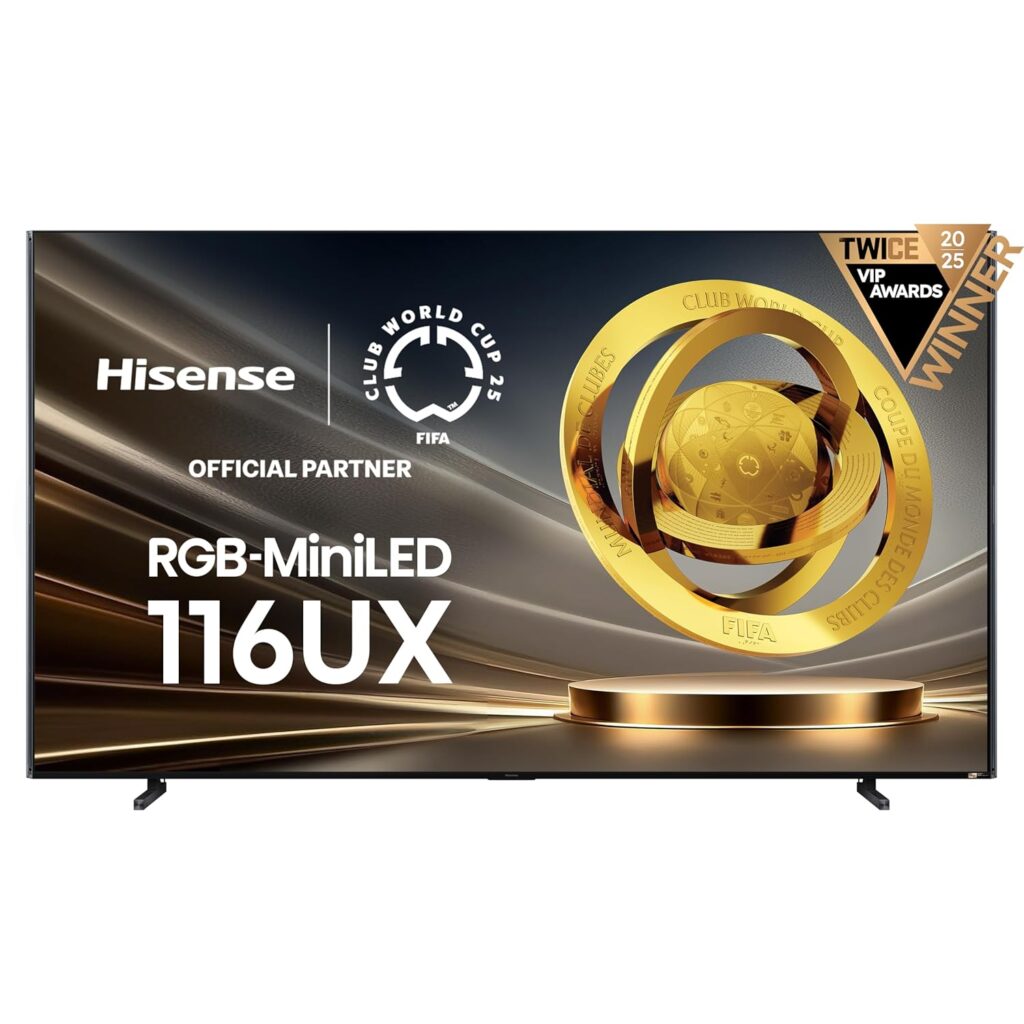
Perspective · Premium Experience Who the Hisense 116UX Was Truly Crafted For The Hisense 116-Inch UX RGB-Mini-LED TV isn’t just another oversized screen; it’s a window into what entertainment can feel like when technology disappears and immersion takes over. This TV wasn’t built for everyone — it was built for those who see watching movies, gaming, and streaming as a full experience rather than a passing activity. Why we crave something better than the movie theater A few months ago, I went to a local theater to see one of the year’s biggest films. The lights dimmed, the trailers rolled, and for a moment I felt that familiar anticipation — but it didn’t last. The couple behind me whispered through every quiet scene. Someone three rows up kept checking their phone. Every burst of laughter echoed over the dialogue. It reminded me that going out for a “premium” experience no longer feels premium at all. When I got home, I sat down and replayed a similar scene on a high-end display — and realized something: home entertainment has evolved beyond the theater for those who invest in the right equipment. The Hisense 116UX is part of that evolution. For those who expect the best — and actually get it The 116UX isn’t about showing off. It’s about finally being able to see — and hear — films, concerts, and games the way they were meant to be experienced. With its RGB Mini-LED backlight, this display doesn’t just brighten your room; it paints it with color so pure and precise that even seasoned cinematographers would appreciate its fidelity. Whether you’re watching a 4K HDR masterpiece, streaming a live concert, or revisiting your favorite series, the 116UX takes every pixel and brings it to life. It’s the kind of realism that casual watchers don’t expect until they see it — and once they do, there’s no going back. Immersion is not a feature, it’s a feeling Every piece of the 116UX’s design is crafted to deepen immersion. The 165 Hz native refresh rate ensures that every pan, chase, and camera move feels lifelike — not simulated. When you watch sports, it’s like being in the stands. When you play games, it’s like stepping into the world itself. But the visual experience is only half of it. Hisense’s 6.2.2 CineStage X audio system pushes sound into three-dimensional space. Dialogue is crisp, background detail feels layered, and musical scores bloom around you without drowning anything out. You don’t just watch — you’re there. How it transforms casual watchers For years, most people bought TVs based on price and brand name, assuming the big manufacturers would automatically deliver the best. But as anyone who has compared models side by side knows, innovation isn’t reserved for the same old brands anymore. The 116UX is proof that Hisense belongs among the leaders in cutting-edge design and performance. What’s fascinating is how this kind of display reshapes your habits. You start choosing movies differently. You notice cinematography details you used to overlook. You turn on a nature documentary for five minutes and end up sitting there for an hour, lost in the clarity and contrast. The 116UX doesn’t just make picture quality better; it changes how you experience your downtime. Personalized cinema, perfected Watching at home used to mean compromise. You’d trade brightness for convenience, or settle for built-in speakers that couldn’t fill the room. The 116UX eliminates those trade-offs. Its RGB Mini-LED panel brings out lifelike color in any light. Its 6.2.2 sound fills the room like a professionally tuned system. Its Google TV interface means everything you love to watch is one voice command away. The chatter, the interruptions, the overpriced popcorn — all gone. What’s left is the reason we fell in love with movies in the first place: that moment when the story takes over and the world outside disappears. Prefer a more room-friendly size? The 100" Hisense UX might be your match. The 100" Hisense UX delivers the same next-generation color, brightness, and motion control in a slightly smaller footprint that fits comfortably in more homes and dedicated media rooms. It’s designed for those who want cinematic scale and precision without crossing into the extremes of 116 inches. Quick Specs Tap to expand Model: Hisense UX 100UX (2025) Screen Size: 100" Class Resolution: 4K UHD (3840 × 2160) Backlight: RGB Backlight Mini-LED Peak Brightness: Up to 10,000 nits Color Processing: 3D Color Master Pro Refresh Rate: Native 144 Hz panel HDR Support: Dolby Vision, HDR10+, HLG Audio System: 4.1.2 CineStage X Smart Platform: Google TV MSRP: $10,999.99 View the 100" Hisense UX on Amazon The 116UX isn’t just a TV — it’s peace, presence, and perfection The Hisense 116UX is made for those who have outgrown the noise of public entertainment and want to rediscover what it means to truly enjoy a film. It’s for the dreamers, the audio purists, the weekend binge-watchers, and the gamers who see immersion as art. Whether you choose the colossal 116" or the perfectly balanced 100" UX, both redefine what a home theater can be — beautiful, bold, and personal. Explore the 116" Hisense UX Affiliate disclosure: When you purchase through our Amazon links, Technichole may earn a small commission at no extra cost to you. We highlight Hisense products because they truly deliver unmatched performance for their price class.

Hisense, Televisions

The Hisense 116UX: Why a $24,999 TV Can Actually Be Worth It

Ultra-Premium Home Theater · Hisense UX Series The Hisense 116UX: Why a $24,999 RGB Mini-LED Monster Can Be Worth Every Dollar At 116 inches, the Hisense 116-Inch Class Premium UX Series RGB-MiniLED 4K UHD HDR Google Smart TV (116UX, 2025) is less of a television and more of a home theater event. With an RGB Mini-LED backlight, up to 8,000 nits of peak brightness, a native 165 Hz panel, and a built-in 6.2.2 CineStage X sound system, it is designed for people who want to stop “watching TV” and start living inside their movies, sports, and games. The price—$24,999.99—is serious, but so is what this display brings to your space. View the 116" Hisense UX on Amazon 116" 4K RGB Mini-LED Up to 8,000 nits of brightness Native 165 Hz refresh rate 6.2.2 CineStage X audio Google TV smart platform Quick Specs Tap to expand Model: Hisense UX 116UX (2025) Screen Size: 116" Class Resolution: 4K UHD (3840 × 2160) Backlight: RGB Backlight Mini-LED Peak Brightness: Up to 8,000 nits Color Processing: 3D Color Master Pro Refresh Rate: Native 165 Hz panel HDR Support: Dolby Vision, HDR10+, HLG Audio System: 6.2.2 CineStage X Smart Platform: Google TV Connections: HDMI 2.1 (ARC/eARC), Wi-Fi, Ethernet MSRP: $24,999.99 RGB Mini-LED: Not just brighter, but smarter light Most LED-based TVs rely on white or blue LEDs shining through color filters. The 116UX does something much more ambitious: it uses an RGB Mini-LED backlight made up of tiny red, green, and blue emitters. That means the light behind each part of the image is inherently colored and can be controlled with far more precision. In real-world viewing, this delivers two huge benefits. First, it allows the TV to produce more accurate color at extremely high brightness levels. HDR highlights do not just become “whiter”—they retain their intended color. Fire looks like fire instead of a blown-out patch of orange-white. Neon lights in a night scene glow with a believable intensity instead of bleeding into the shadows. Second, RGB Mini-LED gives the local dimming system much finer control. With thousands of tiny LEDs working behind the scenes, the 116UX can carve bright objects out of deep black backgrounds without the distracting halos and blooming that can ruin the illusion on lesser displays—especially at this giant size. Why 165 Hz matters more when the screen is this huge On a 55-inch TV, motion blur and judder are annoying. On a 116-inch TV, they are impossible to ignore. That is where the native 165 Hz panel on the Hisense 116UX becomes a game-changer. For fast-moving content—sports, action movies, racing sims, shooters—a higher refresh rate means less stutter, clearer motion, and fewer artifacts. You see the ball’s trajectory, not a blur trail. Camera pans across stadiums or landscapes feel smooth, not choppy. When you pair that with HDMI 2.1 features like VRR (variable refresh rate) and ALLM (auto low latency mode), the 116UX basically becomes a wall-sized gaming monitor with cinema-level picture quality. The important part is that this smoothness does not have to come with that over-processed “soap opera” look many people hate. With the right settings, you can balance motion clarity and cinematic feel so that films look intentional and games look razor sharp. At 116 inches, that balance is what keeps the experience immersive rather than distracting. 4K HDR that pulls you into the frame Specs are one thing; what it feels like to sit in front of this TV is another. Imagine starting a 4K HDR movie on the 116UX. The room is dim, but not pitch-black—you do not have to live like a cave dweller to enjoy this set. The opening shot fades in: a city at night, thousands of tiny lights scattered across skyscrapers, reflections shimmering in windows and puddles. On a typical TV, that scene looks nice. On the 116UX, it feels like standing on a balcony overlooking the city. The combination of 4K resolution, RGB Mini-LED contrast, and huge peak brightness creates layers of detail that your eyes naturally wander through. Individual windows are distinct. The glow from streetlights pools realistically on the pavement. Distant buildings are not just blocks of gray—they have texture and depth. HDR highlights are where this TV really flexes. Explosions, sunrises, chrome reflections, sparks, and specular highlights in water all retain subtle gradations instead of flattening out. The 116UX’s brightness gives those highlights a sense of intensity, while its dimming system keeps surrounding blacks rich and deep. Dark scenes hold onto detail instead of dissolving into muddy gray. This is the kind of image fidelity that makes time disappear—you hit play, and suddenly it is three episodes later. 6.2.2 CineStage X: when the TV sounds like a full system A screen this large begs for serious sound, and the 116UX shows up prepared. The built-in 6.2.2 CineStage X audio system is not the usual “token speakers behind the bezel.” It is a multi-channel array designed to create a wide, tall, and deep soundstage without requiring an immediate soundbar upgrade. Two sub channels provide real low-frequency presence, so you feel rumbles and impact rather than just hearing thin bass. Height channels fire sound upward to simulate overhead effects, bringing rain, aircraft, and ambient sound into a more three-dimensional space. Front and side drivers handle dialogue and directional effects. In practice, this means that: Dialogue stays intelligible, even when action scenes get loud. Sound effects wrap around the seating area instead of feeling stuck to the screen. Scores and soundtracks have room to swell and breathe. For many people, that level of built-in performance will be more than enough—especially on day one. Enthusiasts can always add external audio later, but CineStage X gives you a legitimately cinematic starting point without extra boxes and cables everywhere. Designed for real rooms, not just showrooms Ultra-premium displays sometimes assume a perfect environment: fully light-controlled rooms, custom installers, and dedicated theaters. The Hisense 116UX certainly thrives in those conditions, but it is also built to handle real-life spaces. The extreme brightness

Televisions, What The Spec

Should You Trust the Logo? Rethinking Brand Names When Buying a TV

Buying Guide · Brand Names vs Real TV Value Should You Trust the Logo? Rethinking Brand Names When Buying a TV For years, most TV buying decisions started at the same place: the logo on the bezel. Samsung, Sony, LG felt like “safe” options, while newer brands were treated as risky. But in 2025, that mindset can cost you real money, real performance, and real enjoyment. In this Technichole buying guide, we break down why putting too much stock in the brand name is a common mistake, how it wastes time and energy, and how value-focused buyers are getting better TVs by looking deeper than the logo. TV brand myths Hisense & TCL vs big brands How to read TV specs Mini-LED and value TVs Smart buying, not brand buying How brand bias quietly drains your wallet Big names earned their reputations. Sony built its name on processing and color accuracy. Samsung made waves with bright, punchy panels. LG helped popularize OLED. None of that is in dispute. The problem is assuming that any TV from those brands will automatically beat everything else on the shelf. Inside each brand’s lineup, there is a huge spread between entry-level, mid-range, and flagship models. A lower-end Samsung or Sony often has fewer dimming zones, lower brightness, and stripped-down gaming features compared to a mid-range Hisense or TCL at the same price. That is where brand bias bites: You overpay for underperformance. The logo feels premium, but the panel and processing are basic. You waste time tweaking settings. Buyers keep adjusting motion, color, and brightness to “fix” a TV that was never built to be amazing in the first place. You overlook real innovation elsewhere. While legacy brands protect their premium tiers, value-driven brands are pushing Mini-LED, high refresh rates, and better HDR into mid-range price brackets. The end result: you pay a logo tax, then still spend hours in menus trying to squeeze more out of a TV that was designed to hit a price point, not to be the best in class. Conscious TV buyers look past the brand and into the specs The savviest TV shoppers we talk to at Technichole start with a different question. Instead of “Which brand is best?”, they ask “Which TV gives me the best balance of panel tech, brightness, contrast, and gaming features for my room and budget?” When you take the brand name out of the equation for a moment, you can focus on what actually matters: Panel type. Is it standard LED, QLED, Mini-LED, or OLED? A Mini-LED Hisense or TCL can deliver deeper contrast and better HDR than an entry-level LED from a more famous brand. Brightness and local dimming. How bright does the TV get for HDR? How many dimming zones does it have, and are they well controlled? These matter far more to real-world performance than the name on the box. Refresh rate and gaming support. Does it have a native 120Hz panel, HDMI 2.1, VRR, and ALLM? If you have a PS5, Xbox Series X, or gaming PC, these features are non-negotiable if you want the smoothest experience. Smart platform and usability. Is it running a modern interface like Google TV or Roku? Are there excessive ads, or is it clean and responsive? How easy is it to find what you want to watch? Once you evaluate TVs through that lens, brand loyalty quickly becomes less important. You start seeing models for what they are, not for what the marketing implies. Why a big brand logo doesn’t guarantee big brand performance Let’s talk about how this plays out in real-world comparisons. Imagine two TVs side by side at the same price: a recognizable big-brand 55-inch and a lesser-known brand’s 55-inch Mini-LED. Many buyers automatically gravitate to the familiar logo, assuming it must be “safer” or “better.” But underneath, the story can look like this: The big-brand model has a standard edge-lit or basic full-array panel, 60Hz refresh rate, mediocre HDR brightness, and limited gaming features. The value-brand model has Mini-LED backlighting, more local dimming zones, higher peak brightness, 120Hz refresh, and full HDMI 2.1 support. In that situation, the logo is actively working against you. You are paying more, or the same, for fewer features and weaker performance. We see this often with entry-level Samsung, Sony, or LG sets compared to mid-range Hisense and TCL models designed to compete hard on specs and price. Just because you are buying a Samsung or Sony does not mean you are automatically getting their best processing, their brightest panel, or their flagship build quality. Often, you are getting a carefully cut-down version meant for big-box store price tags and casual shoppers who never read a spec sheet. How budget-friendly brands are quietly outperforming the old guard The word “budget” used to mean compromise. Today, it often means “best bang for the buck.” Companies like Hisense and TCL have built their reputations by stuffing high-end tech into mid-range price brackets. You see features like: Mini-LED backlights with hundreds of dimming zones. Quantum dot color for wide color gamuts. Native 120Hz panels with 144Hz or higher gaming modes on select models. Robust gaming features like VRR, ALLM, and low input lag. A few years ago, you had to buy a flagship from a big-name brand to get that combination. Now, you can often get it at a mid-range price from a so-called “budget” brand. For a conscious buyer, that is an opportunity, not a risk. It lets you: Buy a larger screen at the same budget range. Leave room for a proper soundbar and subwoofer, instead of relying on weak TV speakers. Future-proof your setup for gaming and next-gen streaming without going over budget. The point is not that big brands are bad. Many of their higher-end models are still excellent. The point is that in the middle of the lineup, where most people actually shop, value brands are competing fiercely—and often winning—on pure performance and features. Why this matters even more for

Hisense, Home Audio

Big Sound, Small Price: The Hisense HS2100 Sound Bar Impresses

Hisense Audio Review Big Sound, Small Price: The Hisense HS2100 Sound Bar Impresses If you’ve been looking for a soundbar that doesn’t just make noise—but actually transforms your living room audio—meet the Hisense HS2100 2.1 Channel 240W Sound Bar with Wireless Subwoofer. It’s proof that you don’t have to spend a fortune for cinematic sound and rich bass that fills the room. View the Hisense HS2100 on Amazon Affordable Audio That Feels Expensive When people talk about upgrading their TV setup, the conversation usually turns to high-end receivers or thousand-dollar sound systems. The Hisense HS2100 makes that kind of performance accessible at a fraction of the price. With 240 watts of total power output, this soundbar and wireless subwoofer combo produces a big, confident soundstage that can easily handle both blockbuster movies and your favorite music playlists. For under a few hundred dollars, the HS2100 delivers crisp treble, deep bass, and balanced midrange that’s rare in its price bracket. Whether it’s an intense car chase or a subtle acoustic track, it has the range and control to make everything sound alive. Dolby Audio and DTS Virtual:X Bring Cinema to Your Living Room Hisense packed serious audio tech into this compact system. With Dolby Audio and DTS Virtual:X support, the HS2100 delivers spacious, three-dimensional sound without the clutter of rear speakers. Movies suddenly have depth—dialogue feels like it’s coming from the center of the screen, and surround effects travel naturally around your room. Even at low volume, voices remain clear and natural thanks to Hisense’s tuning and built-in Dialogue Enhancement mode. It’s perfect for apartment dwellers or late-night watchers who want immersive audio without waking the neighbors. Seamless Connectivity for Everyday Living The HS2100 isn’t just about power—it’s about convenience. It connects easily to your TV through HDMI ARC, meaning one remote can control both your TV and soundbar volume. With Bluetooth 5.3, you can stream directly from your phone or tablet in seconds. The setup is almost effortless thanks to EzPlay, Hisense’s feature that automatically detects compatible devices and optimizes connection. It’s a true plug-and-play experience that gets you listening within minutes of unboxing. Six EQ Modes for Every Occasion The Hisense HS2100 includes six equalizer presets—Movie, Music, News, Sports, Game, and Night Mode—each tuned to highlight the details that matter most. Watching a concert? Switch to Music for warm mids and crisp highs. Bingeing your favorite drama? News or Movie mode enhances dialogue and clarity. Late-night gaming session? Night mode keeps things balanced without disturbing anyone. These presets make it easy to tailor the sound to your space and your mood, all without fiddling with complex settings. Music That Moves You Where many budget soundbars falter with music playback, the HS2100 excels. The combination of its wireless subwoofer and 2.1 channel design delivers punchy, tight bass that doesn’t overwhelm the mids. Vocals remain clear and detailed even at high volume, and instruments retain their texture and depth. Whether you’re playing jazz, hip-hop, or classical, it feels dynamic and full-bodied. Who the Hisense HS2100 Is For This soundbar is made for anyone who wants to upgrade from basic TV speakers without overspending. It’s ideal for small to mid-sized living rooms, apartments, and anyone who values simplicity, clarity, and power in equal measure. If you’ve got a Hisense TV, EzPlay makes it an even smoother match. And if you’ve been holding off on improving your setup because high-end soundbars seemed out of reach—this one will change your mind. The Verdict The Hisense HS2100 2.1 Channel 240W Sound Bar proves that big sound doesn’t have to come with a big price tag. It blends performance, convenience, and versatility in a package that’s accessible to nearly everyone. With Dolby Audio, DTS Virtual:X, and six smart EQ modes, it delivers an experience that feels premium from start to finish. For anyone building a home theater on a budget, the HS2100 is one of the best entry points into cinematic audio. Buy the Hisense HS2100 on Amazon Affiliate Disclosure: When you purchase through our Amazon link above, Technichole may earn a small commission at no extra cost to you. This helps keep our reviews unbiased and ad-light for our readers.

Hisense, What The Spec

Why the Hisense U8’s Anti-Glare Screen Might Matter More Than Its 4K or Nits

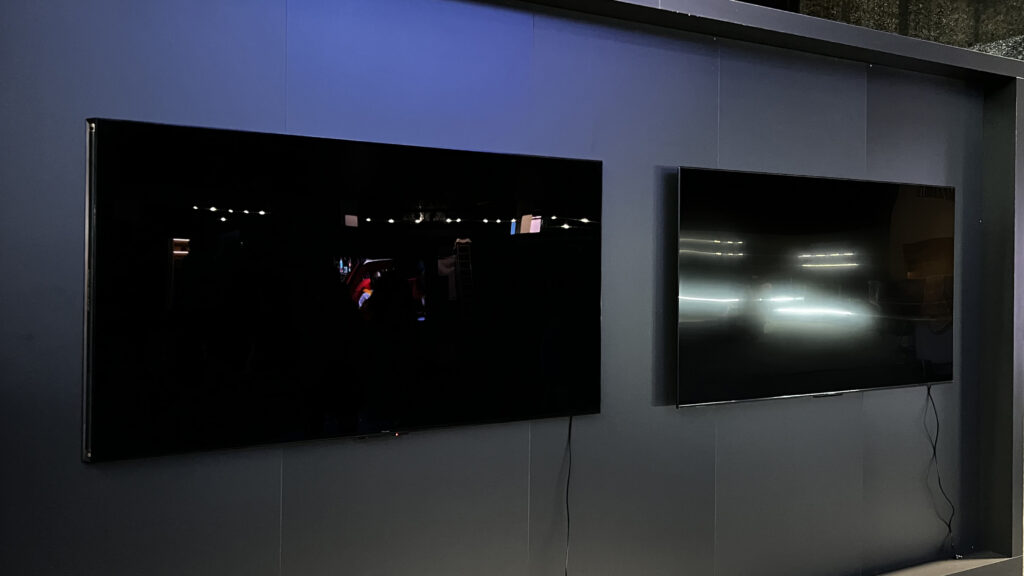
What The Spec · Hisense U8 Anti-Glare & Low-Reflection Screen Why the Hisense U8’s Anti-Glare Screen Might Matter More Than Its 4K or Nits Everyone talks about brightness and contrast, but if your TV turns into a mirror every afternoon, none of that matters. The Hisense U8 series adds serious anti-glare and low-reflection tech on top of its Mini-LED brightness, making it one of the most practical bright-room TVs you can buy. Here is what Hisense is doing with the U8’s screen, how it works, and why you should care if you have windows, lamps, or glossy floors anywhere near your TV. Hisense U8 anti-glare screen Low-reflection coating explained Best TV for bright rooms U8 reflection handling Why screen finish matters On paper, the U8 series is all about peak brightness and Mini-LED contrast. In practice, what makes it usable in the real world is the screen finish: Hisense combines a bright panel with anti-glare and low-reflection tech so you are watching the content, not your own reflection or the window behind you. What “anti-glare” actually means on the Hisense U8 When Hisense describes the U8 family as having an anti-glare, low-reflection screen, it means the panel and its outer coating are designed to bend and diffuse incoming light instead of reflecting it straight back at you like a mirror. The screen finish is tuned to keep harsh reflections under control, even when the room is lit by overhead fixtures or daylight. You will often see language like “Anti-Glare and Low Reflection” or “Anti-Reflection” in U8 marketing and spec sheets. In simple terms, this indicates an anti-reflective coating layered over the glass that reduces the intensity of reflections and spreads them out. The goal is not to eliminate light—that would be impossible—but to make reflections softer, dimmer, and easier to ignore while the TV’s brightness takes center stage. If you have ever watched a dark scene and mostly seen a reflection of your coffee table instead of the show, you already know why this matters. Anti-glare alone will not fix a dim TV, and brightness alone will not fix a mirror-like screen. The Hisense U8 series works because it tackles both sides: very high brightness plus a thoughtfully engineered screen finish. The different anti-glare approaches across Hisense U8 models Hisense does not label “types” of anti-glare panels in big bold letters, but across U8 generations you see a consistent pattern in how the screen handles reflections. Here are the main ideas behind what Hisense is doing: Semi-gloss, low-reflection finish Bright-room specialist The U8’s semi-gloss screen finish is designed to strike a balance between rich contrast and reflection control. Instead of a fully glossy “mirror,” you get a surface that still delivers punchy highlights and deep blacks but keeps reflections smaller, dimmer, and more diffused. That makes a huge difference in rooms with overhead lights or windows opposite the TV wall. Anti-glare / low-reflection coating Tuned surface layer On top of the glass, Hisense uses an anti-glare coating to scatter incoming light. Bright point sources— like a lamp or a sunny patch on the floor—are turned into broader, gentler highlights instead of tight, sharp glare spots. Your eyes naturally focus on the image instead of being pulled toward those hot spots. Enhanced “anti-reflection” variants Aggressive reflection control On newer and higher-end U8 variants, Hisense pushes this concept further with enhanced anti-reflection treatments meant specifically for very bright, window-heavy rooms. These screens are engineered so that even when the room lights are on, the picture still looks defined and high-contrast instead of washed out. Mini-LED + anti-glare synergy Brightness meets control The U8 is a Mini-LED TV, which means it can push extreme brightness with fine-grained local dimming. When that kind of light output hits a well-designed anti-glare surface, the effect is powerful: instead of raising the brightness of everything—including reflections—it raises the brightness of the image while keeping reflections relatively subdued. Your content wins the battle against glare. Panel type differences (VA vs wide-angle) Contrast vs viewing angle Depending on size and region, some U8 models use VA panels (great native contrast), while others use wide-angle variants like ADS/IPS-style panels (better off-axis viewing). Regardless of panel type, the anti-glare treatment is designed to manage reflections across the screen so that both center and off-axis seats get a clear, watchable picture in bright spaces. Real-world behavior in bright rooms Fewer blinds, more watching In everyday use, owners of U8 models often report that where they once had to close blinds or dim lights to watch TV, they can now leave the room closer to how they like living in it. That is the whole point of a good anti-glare panel: making the TV work with your space instead of forcing you to redesign your space around the TV. How the U8’s anti-glare screen helps in real rooms Specs are one thing; how they feel at 3 p.m. with sunlight coming in is another. The reason the Hisense U8’s anti-glare panel matters is simple: most people do not watch TV in a perfectly controlled, dark home theater. They watch in living rooms with windows, apartments with blinds that never quite close, and open spaces where kitchen lights spill onto the screen. A good anti-glare, low-reflection finish does three key things in these spaces: Reduces mirror-like reflections. Instead of seeing a crisp reflection of a lamp or window, you see a softened, blurred highlight that is easier for your eyes to ignore. Protects perceived contrast. Even if your TV has great native contrast, a bright reflection can flatten shadows and wash out dark scenes. Anti-glare keeps blacks closer to black and colors closer to how they should look. Helps with eye comfort. Constantly competing with bright reflections makes your eyes work harder. A screen that tames glare reduces strain over long viewing sessions—especially for news, sports, or gaming marathons. On a U8, this matters even more because the set is bright enough to take advantage of the coating. You are not just softening

What The Spec

HDMI and eARC Demystified: Understanding Ports, Audio, and the Connections That Actually Matter

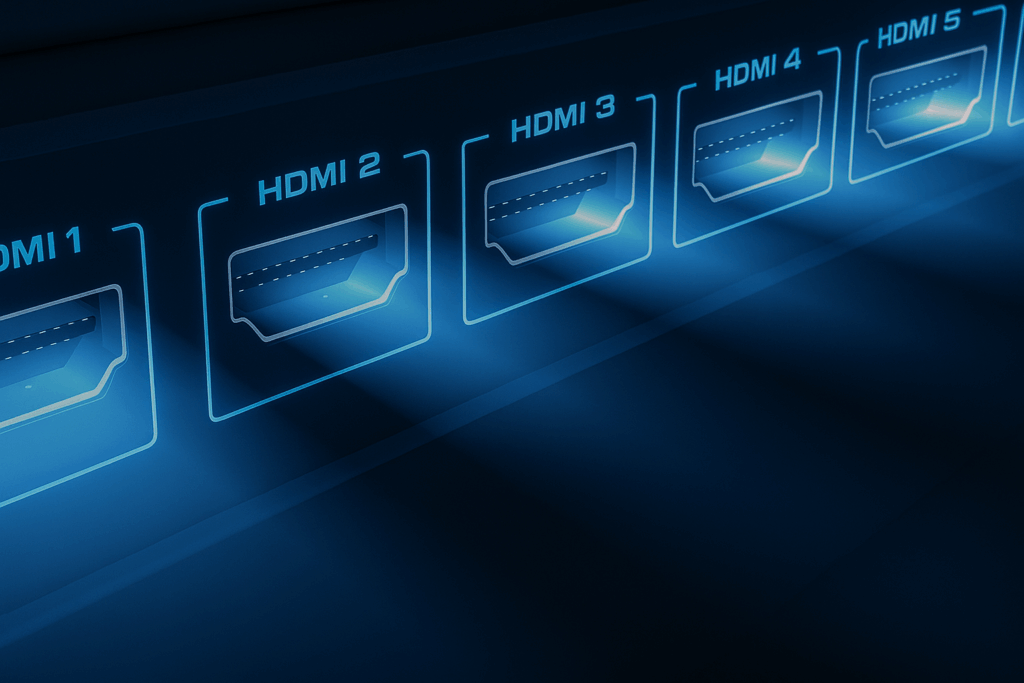
What The Spec · HDMI Ports & eARC Explained HDMI and eARC Demystified: Understanding Ports, Audio, and the Connections That Actually Matter Not all HDMI ports are created equal. Between eARC, HDMI 2.1, and confusing labels like “Game” or “ARC,” it’s easy to overlook the most important connection on your TV. This Technichole guide breaks down what each HDMI port does, how eARC transforms sound quality, and how to make sure you’re getting the full potential from your console, soundbar, or streaming device. eARC vs ARC HDMI 2.0 vs 2.1 Best ports for gaming Connecting soundbars 4K120 and VRR setup The truth about HDMI ports and why one matters more than the rest HDMI stands for High-Definition Multimedia Interface. It carries both video and audio through a single cable, making it the backbone of every modern home entertainment setup. But as TVs evolved, so did HDMI standards—and not all ports on your TV have the same abilities. Some handle higher resolutions or faster refresh rates, while others specialize in advanced sound formats. This is where eARC comes in. Short for Enhanced Audio Return Channel, eARC allows your TV to send uncompressed, high-bitrate audio (like Dolby Atmos and DTS:X) directly to a soundbar or AV receiver without losing quality. It’s a game-changer for anyone who wants cinematic sound without the complexity of multiple cables. Understanding the different HDMI ports on your TV Most modern TVs have multiple HDMI inputs, but each can vary slightly in function. Let’s break down the typical roles you’ll see labeled on your ports and how to use them effectively. HDMI 1 – eARC / ARC For soundbars & receivers This port is usually marked “HDMI (ARC)” or “HDMI (eARC)” and is designed to send audio out from your TV to a sound system. With eARC, you can pass full-resolution audio formats like Dolby TrueHD and Atmos without compression, creating clearer, more dynamic sound. It replaces the need for optical cables and keeps your setup simple. HDMI 2 – 4K/120Hz / HDMI 2.1 For gaming consoles This is the performance port. If you own a PlayStation 5, Xbox Series X, or a gaming PC, plug them into an HDMI 2.1 port that supports 4K at 120Hz and Variable Refresh Rate (VRR). It ensures the smoothest gameplay, lowest input lag, and the ability to fully leverage your console’s power. Many Hisense TVs offer HDMI 2.1 on at least two ports for gamers who use multiple devices. HDMI 3 – 4K/60Hz / HDMI 2.0 For streaming devices Perfect for Roku, Apple TV, or Chromecast, these ports deliver excellent 4K quality at standard refresh rates. They handle HDR10 and Dolby Vision easily but won’t support 4K120 gaming. These are your go-to inputs for everyday entertainment gear. HDMI 4 – Legacy Input For older devices Often limited to HDMI 1.4 or 2.0 speeds, this port supports 1080p or 4K30 content. Use it for older cable boxes, DVD players, or backup inputs when the main ports are full. It’s great for compatibility but not for high-performance tasks. What makes eARC better than ARC? eARC is an upgraded version of ARC that dramatically increases bandwidth and reliability. While standard ARC compresses advanced audio formats, eARC sends them losslessly. This means your Dolby Atmos soundbar or AV receiver gets the same high-quality signal that a Blu-ray player would output directly. With eARC, you can connect all your devices (like consoles or streaming boxes) to your TV and still get full surround sound through one HDMI cable to your sound system. No switching inputs, no extra remotes, and no optical cables needed. It’s the cleanest, simplest way to build a true home theater experience. Many new Hisense TVs include eARC as standard—especially in the U7, U8, and U9 series—letting you enjoy high-fidelity Dolby Atmos or DTS:X sound without investing in a high-end receiver. HDMI comparison at a glance HDMI Type Bandwidth Supports Best Use HDMI 1.4 10.2 Gbps 1080p / 4K30 Older players, cable boxes HDMI 2.0 18 Gbps 4K60 HDR10 / Dolby Vision Streaming, everyday use HDMI 2.1 48 Gbps 4K120, 8K60, VRR, ALLM, eARC Gaming, high-end TVs Common HDMI and eARC questions Do all HDMI cables support eARC? Not all HDMI cables are created equal. For eARC, you’ll want at least a High-Speed HDMI cable with Ethernet, though we recommend an Ultra High-Speed HDMI cable for full compatibility with HDMI 2.1 features. The good news is that eARC is backward compatible, so older cables may still work—but upgrading ensures reliability. Can I use HDMI ARC instead of eARC? You can, but you’ll lose some audio fidelity. ARC can handle compressed formats like Dolby Digital and DTS, but it can’t transmit uncompressed Dolby TrueHD or DTS:X. If you want full Atmos performance, eARC is the way to go. Should I plug my console directly into the TV or the soundbar? Always plug gaming consoles directly into your TV’s HDMI 2.1 port, not the soundbar. This ensures the shortest signal path for 4K120, VRR, and low-latency modes. Then, let eARC send the audio back to your soundbar or receiver. It’s the optimal setup for both picture and sound. Can I use eARC and other HDMI inputs at the same time? Absolutely. eARC functions independently from your other HDMI inputs. You can have a console, streaming box, and Blu-ray player all connected while eARC continuously returns audio from whichever source you’re watching. What makes Hisense TVs stand out for HDMI and eARC? Hisense is one of the few brands offering multiple HDMI 2.1 ports and eARC on models under premium price tiers. Sets like the Hisense U7N and U8N include both 144Hz refresh rates and full HDMI 2.1 support, giving you next-gen gaming, smooth motion, and high-fidelity sound all in one affordable package. Bottom line: simplify your setup and unlock better sound eARC and HDMI 2.1 together represent the modern foundation of home entertainment. They simplify connections, enhance both video and audio quality, and eliminate the confusion of multiple cables or splitters. If your TV

What The Spec

Why TV Refresh Rate Is More Than Just a Number: The Real Secret to Smooth, Sharp Motion

What The Spec · TV Refresh Rate Explained Why TV Refresh Rate Is More Than Just a Number: The Real Secret to Smooth, Sharp Motion Refresh rate is one of the most misunderstood specs on a TV box, yet it has a huge impact on how sports, movies, and games actually look in your living room. In this What The Spec deep dive, we break down what refresh rate is, what “slow, medium, and best” really mean in hertz, and why it is often worth paying a little more for a TV that can keep up with today’s fast-paced content. Refresh rate vs motion blur 60Hz vs 120Hz vs 144–165Hz Best refresh rate for gaming Hisense high-refresh TVs Think of refresh rate as the heartbeat of your TV’s motion. A higher rate does not magically fix a bad panel, but it does control how smooth and responsive your picture feels when the camera pans across a stadium, a car chase kicks off, or your character sprints through a game world at full speed. At a glance: key refresh rate takeaways If you are skimming before a store visit, start here. These quick points capture the core of what matters about TV refresh rate for real-world viewing. Refresh rate = how many times per second the image updates 60Hz = baseline; okay for casual watching 120Hz = ideal “middle ground” for sports and consoles 144–165Hz = best for serious gaming and PC use Look for native refresh, not just “motion rate” marketing Higher refresh + good processing = less blur, cleaner motion Hisense offers high-refresh TVs at surprisingly low prices What is TV refresh rate in plain language? Refresh rate is the number of times per second your TV redraws the image on the screen. It is measured in hertz (Hz). A 60Hz TV refreshes the picture 60 times every second; a 120Hz set does it 120 times per second, and high-end panels can hit 144Hz, 165Hz, or even more in specialized gaming modes. Every scene you watch—whether it is a movie, a live football game, or a video game—is really a rapid slideshow of individual frames. The refresh rate controls how smoothly those frames are displayed. With a low refresh rate, fast action can start to look smeared or choppy, especially on big screens. With a higher refresh rate, the motion feels more coherent and lifelike. Your eyes track the ball, the car, or the character more easily, and fine details stay sharper during movement. It is important to separate refresh rate from resolution. You can have a 4K TV that looks crisp in still scenes but struggles when the camera pans quickly. Refresh rate is the motion side of the equation. It answers a different question: not “how detailed is the picture?” but “how smooth and stable does that picture feel when everything moves?” Slow, medium, and best: 60Hz vs 120Hz vs 144–165Hz Not every viewer needs a high-refresh gaming panel, but almost everyone benefits from matching refresh rate to how they actually use their TV. Here is how we break it down into slow, medium, and best for most people. Slow 60Hz – Baseline for casual watching Best for: smaller budgets, smaller screens, slower content Fine for sitcoms, news, and slower-paced streaming on 43–55 inch TVs. Sports and fast action can look slightly blurry, especially on larger screens. Okay for casual console gaming at 30–60 fps, but not ideal for next-gen 120 fps modes. Often found on budget TVs where other specs, like brightness and contrast, matter equally or more. Medium 120Hz – Sweet spot for most buyers Best for: mixed use, sports, and console gaming Noticeably smoother motion for sports, action movies, and fast camera pans. Pairs well with PlayStation 5 and Xbox Series X for 120 fps gaming modes. Usually supports extra features like variable refresh rate (VRR) and low input lag. The best all-around choice if you can stretch your budget beyond basic 60Hz sets. Best 144–165Hz – High-refresh Hisense and gaming-focused TVs Best for: serious gamers, PC use, and future-proofing Offers even smoother motion than 120Hz for supported PC and console titles. Excellent for fast-paced competitive gaming where quick response and clean motion matter. Brands like Hisense now offer 144Hz and 165Hz models at prices that used to be reserved for basic 120Hz sets. Overkill for some people, but a smart long-term pick if you are building a gaming-first setup. Deep dive: how refresh rate actually affects what you see Motion blur during sports Clarity vs smear On a 60Hz TV, a fast-moving ball or player can leave a soft trail, especially on large screens where each pixel blur is magnified. A 120Hz or 144Hz panel updates the ball’s position more frequently, so your eyes see a smoother, more continuous arc. The result is less strain and a stronger sense of “being there” during live games. Camera pans and wide shots Judder control Slow camera pans across city skylines or stadiums can look jittery when the frame rate of the content and the refresh rate of the TV are not in harmony. Higher-refresh TVs often have better motion interpolation and more sophisticated processing that can reduce judder without forcing an unnatural soap-opera effect. Gaming responsiveness Input feel For gaming, refresh rate and input lag work together. A 120Hz or 144Hz TV with low input lag lets your button presses translate to on-screen actions more quickly and smoothly. When frame rate and refresh rate match, controls feel tighter and your aim or timing becomes more consistent, especially in competitive titles. Upscaling 24fps movies Film vs soap opera Movies are typically mastered at 24 frames per second. A higher-refresh TV has more flexibility in how it displays those frames, whether through simple pulldown techniques or more advanced motion processing. The key is to balance stability with preserving the natural, cinematic feel rather than forcing everything to look like live video. Marketing terms vs real specs Native vs “effective” Manufacturers often advertise “Motion Rate 240” or

Hisense, Televisions

Hisense QD6 & Insignia: Which One?

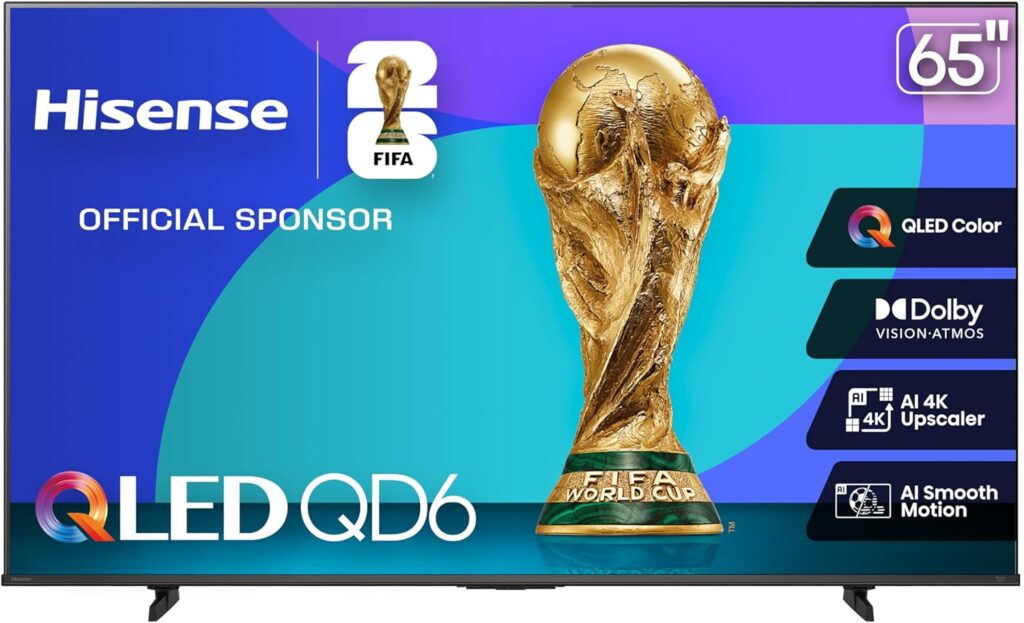
If you’re shopping for a budget TV, it’s completely normal to feel stuck between brands like Hisense and Insignia. Both promise 4K, smart features, and affordability, but when you start comparing real-world performance, the Hisense QD6 stands out as the better buy. It gives you more color, brightness, and life in your picture—without breaking the bank. If you’re looking for a recommendation, the 65-inch Hisense QD6 is one of the best values available on Amazon right now. The big picture: both are affordable, but not equal On paper, both the Hisense QD6 and Insignia Fire TV models are “budget 4K smart TVs” with streaming built in. You’ll get the basics like 4K resolution, Alexa voice control, and access to every major streaming app. But the QD6 belongs to Hisense’s QLED lineup, which uses Quantum Dot Color technology for more vivid and accurate tones. It also supports Dolby Vision HDR and Dolby Atmos sound—features that bring a cinematic feel even to everyday viewing. The Hisense QD6 offers this blend of affordability and performance that you rarely see in the budget category. Insignia’s Fire TVs, while decent for casual use, typically deliver a more basic viewing experience. They rely on standard LED panels and often struggle with brightness and contrast, especially in bright rooms. You’ll still get a nice image for the price, but it won’t look as alive as what the QD6 delivers. Why the Hisense QD6 picture looks better When you compare these TVs in person, the difference is immediate. The QD6’s Quantum Dot technology produces over a billion colors, meaning the reds, greens, and blues you see are richer and closer to what the content creators intended. This is something Insignia’s basic LED panels simply can’t replicate. The QD6 also handles HDR (High Dynamic Range) much more effectively. With support for Dolby Vision and HDR10+, it’s able to adjust brightness and contrast on a scene-by-scene basis, giving you more depth in dark scenes and more pop in bright ones. The Insignia models technically support HDR formats, but their lower brightness means highlights don’t stand out as much. On the Hisense, fireworks look like fireworks—not just bright blobs on the screen. If you’re watching action movies, sports, or colorful shows like nature documentaries, the QD6’s extra color range and brightness really pay off. Even everyday TV looks sharper and more refined. Real-world performance in bright rooms A lot of budget TVs look fine in a dark store or bedroom, but the real test comes when you turn them on during the day. Sunlight and bright indoor lighting can make cheaper panels look washed out. The Hisense QD6 handles those situations well thanks to its solid brightness and anti-reflective design. Whether you’re watching morning news in a sunlit living room or binging Netflix with the blinds open, you’ll still get solid contrast and visibility. The Insignia, on the other hand, tends to lose that vividness under bright conditions, and the picture starts to appear dull. This makes the QD6 a great option for family rooms or open living spaces where you can’t always control lighting. Better HDR for movie lovers HDR is what separates a good 4K image from a great one. The Hisense QD6’s inclusion of Dolby Vision and HDR10+ puts it ahead of most budget competitors. It dynamically adjusts brightness and color so each frame looks optimized—blacks stay deep, highlights glow, and skin tones stay natural. Insignia TVs might say they support HDR, but without the brightness or processing power to back it up, the effect is minimal. If you’re a movie lover, this difference is clear. On the QD6, explosions, sunsets, and night scenes feel more cinematic and three-dimensional. If you’ve ever wondered why a movie looks better on a friend’s more expensive TV, this is part of the reason. The Hisense QD6 gives you that premium HDR experience without paying premium prices. Gaming performance on a budget If gaming is part of your household routine, the QD6 again wins out. It includes Game Mode Plus, which reduces input lag so your controls feel more immediate and responsive. On some versions, you’ll even get Auto Low Latency Mode (ALLM) and Variable Refresh Rate (VRR) for smoother motion during fast-paced gameplay. That’s impressive for a TV in this price range. Insignia TVs can handle gaming, but they lack these advanced features. If you’re playing newer consoles like a PlayStation 5, Xbox Series X, or even a gaming PC, the QD6 provides a noticeably smoother experience—especially in fast-action titles or sports games. Smart experience: Fire TV made better Both the Hisense QD6 and Insignia models use Amazon’s Fire TV platform, so you’ll get all the streaming services you love—Netflix, Disney+, Hulu, Prime Video, YouTube, and more—right out of the box. Alexa voice commands are built in, allowing you to search for shows, control your smart home, or check the weather hands-free. But while the Fire TV interface is the same, the hardware running it makes a difference. The QD6 feels snappier and smoother when navigating menus or switching apps. Hisense also builds its TVs with a more polished aesthetic—thinner bezels, better stand design, and more solid build quality than Insignia’s basic frames. When it’s sitting in your living room, it simply looks and feels like a higher-end TV. Long-term reliability and value Insignia TVs are primarily designed as affordable house-brand models, built to meet a low price point rather than push performance boundaries. They’re fine for simple setups, but they’re not known for long-term durability or consistent panel quality. Hisense, on the other hand, has built a reputation for making feature-rich TVs that punch above their price class. The QD6 continues that tradition—it’s a budget TV that feels mid-range in most ways that matter. Hisense’s growing presence in the U.S. market means stronger quality control and better firmware support over time, something that’s often overlooked but important for keeping your TV updated. When you factor in how long you’ll likely keep it—five years or more—the small difference in price

Hisense, Televisions

Why Hisense Makes Sense: The Smarter Choice for Modern TV Buyers

Walk into any electronics store or browse the TV section online, and the first thing you’ll notice is the dominance of the same big names — Samsung, Sony, and LG. Their displays are everywhere, their marketing is loud, and their prices are often steep. But behind the glossy showrooms and expensive ads, another truth has quietly emerged: a smaller brand called Hisense has been delivering televisions that match or outperform these giants at a fraction of the cost. Choosing a TV used to be about brand recognition. Today, it’s about performance, technology, and total value. And that’s where Hisense makes sense — literally. The Shift in the TV Market Ten years ago, premium picture quality and advanced technology were tightly controlled by the top-tier manufacturers. OLED panels, high refresh rates, and dynamic HDR were reserved for those willing to pay premium prices. But the landscape has changed dramatically. Brands like Hisense and TCL have invested heavily in R&D, manufacturing precision, and strategic partnerships with panel suppliers. They’ve learned to innovate quickly, adopt new technologies early, and integrate them into affordable models. This shift means consumers no longer need to spend $2,000 or more for cutting-edge performance. In fact, many Hisense models deliver equal or better brightness, local dimming control, and motion clarity than their big-brand rivals at half the cost. The result is a democratization of technology — and a growing awareness among smart buyers that paying extra for a logo doesn’t necessarily buy you a better experience. Beyond the Badge: What Really Matters in a TV When most people evaluate a television, they start with the brand name. But what actually affects the viewing experience? Brightness, contrast, color accuracy, processing, and refresh rate are the true pillars of image quality. Hisense’s recent lineup, such as the U8 series, excels in all of these categories. The brand has become known for its Mini-LED backlight technology, capable of producing upwards of 5,000 nits of brightness — levels that rival or surpass high-end models from much more expensive competitors. The company’s Hi-View Engine Pro handles image processing with remarkable precision, using AI-driven algorithms to enhance clarity and balance color dynamically. Combined with wide color gamut coverage, Dolby Vision IQ support, and a native 165 Hz refresh rate on certain models, Hisense televisions aren’t just keeping up with the industry leaders — they’re pushing the standards forward. So while a shopper might recognize a Samsung or Sony first, it’s Hisense that’s quietly delivering the performance metrics that professionals and enthusiasts actually look for. The Cost of the Brand Name Big brands spend billions annually on marketing and retail placement. That cost doesn’t vanish — it’s passed down to you, the buyer. Every polished commercial, celebrity endorsement, and airport billboard adds a few extra dollars to the sticker price of that TV sitting on the shelf. Hisense takes a different approach. The company relies more on product quality and word-of-mouth reputation than traditional advertising. Instead of paying for recognition, it focuses on manufacturing efficiency and component optimization, which translates into lower prices without cutting corners on performance. It’s the same reason many value-driven consumers are moving away from household-name appliances and toward less-advertised but better-equipped alternatives. For instance, a 65-inch flagship QLED from a top-tier brand might sell for $2,499, while a comparable 65-inch Hisense U8 model with Mini-LED backlighting and Dolby Atmos audio costs around $1,299. That’s a savings of over $1,000 for a TV that, in most lighting conditions, performs nearly identically. Paying extra for a badge used to make sense when the technology gap was wide. Today, that premium often buys little more than the name itself. Performance Without Compromise When reviewers and consumers compare Hisense to higher-priced alternatives, one theme appears repeatedly: performance parity. Take brightness, for example. The Hisense U8 routinely measures higher peak brightness than some of Samsung’s and Sony’s step-down QLED models. That advantage matters for anyone watching TV in bright rooms — apartments, living rooms with large windows, or open floor plans. Motion handling and gaming features are equally strong. Hisense’s 165 Hz panels and Variable Refresh Rate (VRR) capabilities minimize tearing and input lag for smooth gaming sessions on both consoles and PCs. Features like Game Bar interfaces and Auto Low Latency Mode (ALLM) come standard, while many “premium” TVs charge more for the same. The audio experience also deserves recognition. Hisense integrates 4.1.2-channel Dolby Atmos systems directly into its panels. That means cinematic sound without the need for an expensive external system that could disturb neighbors — a major advantage for apartment dwellers. This isn’t a stripped-down experience for budget shoppers. It’s a complete home theater experience designed intelligently and affordably. Durability and Reliability: Dispelling the Myths One misconception about emerging brands is that lower price equals lower quality. In Hisense’s case, that assumption doesn’t hold up under scrutiny. The company has built a strong reliability record, earning recognition from both consumers and independent reviewers. Hisense backs its higher-end televisions with a two-year warranty, double what most competitors provide. That confidence stems from their quality control processes, which have improved substantially over the past decade. The same assembly lines that produce Hisense’s own panels also manufacture components for other well-known brands — an industry secret that underlines how interconnected TV manufacturing has become. While no product is immune to defects, Hisense’s reliability now sits comfortably within industry averages, with many users reporting years of consistent performance. The combination of quality assurance and extended coverage makes the brand a safe bet rather than a gamble. The Value of Being an Informed Buyer The smartest way to buy a television today is not to chase the biggest name, but to understand what you’re actually paying for. An informed buyer looks at specifications rather than slogans. They know that Full Array Local Dimming, Quantum Dot color, HDR support, and refresh rate matter more than the size of the marketing budget behind the product. When you strip away the branding, Hisense often matches flagship competitors feature-for-feature —

Technichole is an Orlando, Florida–based home theater review site focused on TVs, soundbars, and smart setups that fit real homes and real budgets. We provide clear, honest guidance to help you build the perfect entertainment space without the hype.

© 2025 Created with 407 Development

Scroll to Top