

Author name: Technichole

Technichole is an Orlando, Florida–based home theater review site focused on TVs, soundbars, and smart setups that fit real homes and real budgets. We provide clear, honest guidance to help you build the perfect entertainment space without the hype.

Avatar photo
Televisions, What The Spec

Walmart vs Best Buy for TVs in 2025 – Which Store Is Really Better?

TV Shopping • Store Comparison Walmart vs Best Buy for TVs in 2025 – Which Store Is Really Better? On paper, Walmart and Best Buy often advertise similar TV sizes, brands, and even model names. But once you start comparing picture quality, pricing, warranties, and the in–store experience, the differences become very real. This guide breaks down Walmart vs Best Buy for TVs so you can decide which one is the better place to buy your next screen. TV Buying Guide Best Buy vs Walmart 2025 TV Deals Home Theater TV Shopping Tips Quick Navigation Walmart vs Best Buy: Same TV, Different Experience Are the TVs Actually the Same Model? In-Store Picture Quality & Showroom Differences Pricing, Promotions & Real-World Value Protection Plans, Warranties & Peace of Mind Returns, Exchanges & Problem Solving Expert Help, Mounting & Delivery Experience Who Should Shop Where? (Quick Recommendations) Walmart vs Best Buy: Same TV, Different Experience If you scroll through ads or browse online, you’ll see familiar names repeat across both stores: Hisense, TCL, Samsung, LG, Sony, onn., and more. It’s easy to assume that a 65-inch 4K TV at Walmart is identical to a 65-inch 4K TV at Best Buy, and that the only real difference is price. In reality, the stores are built around two different priorities. Walmart optimizes for volume and price. Best Buy optimizes for performance, demonstrations, and full-service support. Both have their place, and which one is “better” depends on whether you care more about that last 15–20% of picture quality and after-sale support—or you just want a big screen at the lowest possible cost. Walmart’s Focus Everyday low pricing, high volume models, and quick “grab and go” TV purchases for shoppers who already know what they want or just want something big that works. Best Buy’s Focus Showcasing higher-end models, explaining technology, and connecting you with brand reps, protection plans, mounting, and delivery for a full home theater experience. 🎯 The Big Picture The question isn’t “Which store is better for TVs?” as much as “Which store matches the way you like to shop?” If you value expertise, demos, and support, Best Buy usually wins. If you value simplicity and price, Walmart often comes out ahead. Are the TVs Actually the Same Model? One of the least understood differences between Walmart and Best Buy for TVs is how model numbers work. Two TVs can share the same screen size, brand, and even a nearly identical model name, but still perform very differently depending on which store they’re built for. Best Buy: Full-Spec and Premium SKUs Best Buy typically receives the full-spec versions of mid-range and high-end models. These are the versions that marketing materials and professional reviews are usually based on. When you see a Hisense U7 or U8, a Samsung Neo QLED, or an LG OLED highlighted in reviews, there’s a good chance the tested model matches what you’ll see at Best Buy. These units often feature: Higher peak brightness for HDR More local dimming zones for better contrast and black levels Full 120 Hz (or higher) refresh rates for gaming and sports More HDMI 2.1 ports for consoles and high-bandwidth devices Better processing for motion and upscaling Walmart: Value-Engineered and Volume Models Walmart’s inventory leans more toward budget and “value-engineered” versions. On paper they may share the same family name, but under the hood they can have fewer dimming zones, lower brightness, or a reduced refresh rate. That doesn’t make them bad TVs—it makes them tuned for a lower price point. This is why you might see a 65-inch TV with a familiar name at Walmart several hundred dollars cheaper than something that looks similar at Best Buy. The panels are related, but not identical. 🔍 Tip: Always Check the Full Model Number A single extra letter or number at the end of a model name can signal a store-specific version. Before you compare prices, compare full model numbers and features so you know whether you’re looking at the same tier of performance. In-Store Picture Quality & Showroom Differences The environment in which you see a TV for the first time heavily affects your impression of it. Not all showrooms are equal, and that’s one area where Walmart vs Best Buy for TVs feels very different. Best Buy: Controlled Lighting & Purpose-Built TV Walls Best Buy usually places TVs in areas with controlled lighting, darker ceilings, and demo content that’s optimized for color and contrast. Many stores have dedicated home theater sections where lights are dimmed to simulate a living room or media room. Brand reps (Hisense, Samsung, Sony, LG, and others) often calibrate demo units or at least get them closer to a realistic picture mode instead of leaving them in harsh store or “vivid” modes. Walmart: Bright, High-Traffic, Utility Lighting Walmart’s TV aisles sit under intense overhead lighting. TVs are often set to power-saving or “store” modes, and the signal feeding them may be a basic cable loop or a low-resolution demo. That combination can make even a good panel look washed out. For a casual shopper, this can blur the line between a truly premium set and a basic budget model—they all end up fighting the same bright environment and generic demo feed. 👁️ Real-World Takeaway If you want to judge picture quality with your own eyes before buying, Best Buy’s environment gives you a more honest look at what a TV is capable of. If you already know the exact model and have done your research, Walmart’s environment matters less because you’re not relying on the in-store demo to make your decision. Pricing, Promotions & Real-World Value Pricing is usually the first thing shoppers think of when comparing Walmart vs Best Buy for TVs, but each store plays a slightly different strategy depending on the tier of TV you’re shopping for. Category Walmart Best Buy Budget 43″–65″ Often the lowest sticker prices, heavily promoted, lots of rollback deals. Competitive, but sometimes slightly higher for better-specced versions. Mid-range 55″–75″ Great for
Projectors

Home Theater Projector Types Explained for Real Living Rooms

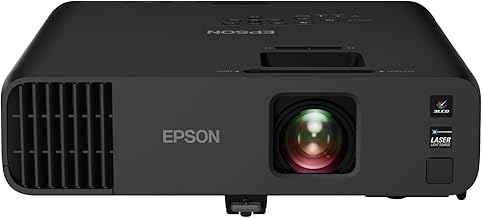
Home Theater • Projector Buying Guide Home Theater Projector Types Explained for Real Living Rooms Long-throw, short-throw, and ultra short throw projectors all promise a massive picture, but they behave very differently once you bring them home. This guide breaks down the main projector types using real examples, practical install tips, and details that rarely show up on the box. Home Theater Projectors Long-Throw vs Short-Throw Ultra Short Throw Laser vs Lamp Example of a long-throw home theater projector. When you’re ready to compare models, you can browse current options and pricing directly on Amazon. Explore home theater projectors on Amazon↗ Quick Navigation Projector Types at a Glance Real-World Examples of Each Projector Type Placement Distance: Long-Throw vs Short-Throw vs UST Light Sources: Lamp, LED, Laser & Hybrid Imaging Tech: DLP, 3LCD, LCoS (and Why It Matters) Room & Screen Factors Most People Ignore Matching Projector Type to Your Lifestyle Projector Types at a Glance Most people shop by resolution and brightness, but professional installers look at three layers first: how far the projector sits from the screen, how it creates light, and what imaging tech it uses. Those three decisions determine 80–90% of what you’ll actually see on the wall. Placement Type Long-throw projectors live on the back wall or ceiling, short-throw sit closer on a table, and UST units sit inches from the wall on a TV stand. The wrong choice here can mean cables across the room or shadows every time someone walks by. Light Source Lamp, LED, and laser each age differently, produce different kinds of fan noise, and affect how quickly the projector reaches full brightness when you sit down to watch something. Imaging Technology DLP, 3LCD, and LCoS panels change the “texture” of the picture: whether motion feels crisp, blacks look inky, and how visible individual pixels are at typical seating distances. Pro Insight If you first decide where the projector can physically live in your room, you usually eliminate half the wrong choices before you ever look at brand names or marketing terms like “cinema-grade” or “laser TV.” Real-World Examples of Each Projector Type To make each category easier to visualize, here are three real projectors that clearly show the physical differences between long-throw, short-throw, and ultra short throw designs. The captions and images below are matched on purpose so you can confidently see what each type actually looks like in the real world. Long-Throw Home Theater Projector Traditional Rear-of-Room Setup Example model (Amazon link above) listed around $1,399.99 at the time of writing. Designed to sit on a rear shelf or ceiling mount and throw a big image across the room. Ideal for dedicated theater spaces where you can control light and don’t mind running an HDMI cable or conduit to the back. Best for: dark theater rooms, 120″+ screens View this long-throw projector↗ Short-Throw Projector Big Image from a Short Distance Example short-throw model (link above) listed around $169.99 at the time of writing. Short-throw optics give you a large picture while sitting much closer to the screen. Great for renters, multi-purpose rooms, and setups where you want the projector on a coffee table or media cart instead of the ceiling. Best for: apartments, flexible setups View this short-throw projector↗ Ultra Short Throw (UST) Laser Projector Laser TV on a Media Console Example UST model (link above) listed around $1,899.00 at the time of writing. A UST “laser TV” sits inches from the wall on a TV stand and fires the image upward onto a screen. Paired with a proper UST ALR screen, it can replace a huge TV in a bright living room without ceiling mounts or long cables. Best for: TV replacement in bright rooms View this UST laser projector↗ Note: prices listed above are examples and can change over time. Always check the current price and availability on Amazon before making a decision. Placement Distance – Long-Throw vs Short-Throw vs Ultra Short Throw Throw ratio is the simple math behind where a projector can live. It’s defined as the distance between the lens and the screen divided by the screen width. Understanding this one number prevents a lot of frustrated returns. Long-Throw: Classic Ceiling or Rear Shelf Many long-throw projectors have throw ratios around 1.3:1 to 2.0:1. For a 120″ screen (about 105″ wide), you’re often looking at 9–17 feet of distance. That’s comfortable in a dedicated room where seating and furniture are planned around the screen. Why enthusiasts still love them You get cleaner lens options, more flexible zoom, and a front wall that’s just screen and speakers. When you walk into the room, the tech “disappears” and the focus is on the picture, not the hardware. The subtle downside Your room becomes part of the optical system. Glossy tables, white ceilings, and light walls all bounce light back onto the screen and wash out blacks. In many installs, repainting the front half of the room makes a bigger improvement than upgrading to a more expensive long-throw model. Short-Throw: Big Picture in Tight Spaces Short-throw projectors frequently have throw ratios around 0.6:1 to 1.0:1. That means a 100″ picture from only 5–7 feet away. They’re useful when you can’t run wires to the back of the room or mount anything on the ceiling. Alignment Matters More Than You Think Because the lens is close to the screen, a few millimeters of tilt turn into visibly warped edges. A cheap table that sags in the middle can cause focus issues between the left and right sides of the image. Use a level, measure both sides of the image, and treat digital keystone as a last resort—not your main alignment tool. Ultra Short Throw: Laser TV on Your Media Console Ultra short throw projectors often have throw ratios around 0.2:1. For a 100″ screen, they may sit just 9–12 inches from the wall. That “TV-like” placement is what makes UST so popular in modern living rooms. Why UST feels different in daily use You plug it into the

Projectors

NexiGo Aurora Pro MKII Review: 4K Tri-Color Laser UST Projector with ALPD 5.0 & Ultra-Low Latency

Home Theater • ALPD 5.0 Ultra Short Throw NexiGo Aurora Pro MKII Review: 4K Tri-Color Laser UST Projector with ALPD 5.0 & Ultra-Low Latency The NexiGo Aurora Pro MKII is a 4K tri-color laser ultra short throw projector with a 0.21:1 throw ratio, over 30,000:1 contrast, ALPD 5.0 laser engine, Dolby Vision & Atmos, HDR10+, and 4.2–8ms low latency in Gaming Mode. It’s built to deliver a bright, color-accurate 150" image in tight spaces while staying responsive enough for serious gaming. NexiGo Aurora Pro MKII 4K Tri-Color Laser UST ALPD 5.0 Dolby Vision & Atmos 4.2–8ms Low Latency Gaming NexiGo Aurora Pro MKII • 4K Tri-Color Laser UST Projector • Up to 150" Screen Check current price on Amazon↗ Quick Navigation Aurora Pro MKII Overview: What This Projector Is Built For Scene Adapt Engine, Dynamic Iris & Laser Dimming ALPD 5.0 Laser Engine, Color & Lifespan 0.21:1 Ultra Short Throw & Screen Size Gaming Performance & Low Latency Mode Built-In Audio & Dolby Atmos Key Specs at a Glance Who the NexiGo Aurora Pro MKII Is Perfect For Aurora Pro MKII Overview: A Compact Laser TV Alternative NexiGo’s Aurora Pro MKII aims squarely at the “laser TV” crowd—viewers who want a premium big-screen experience without a ceiling mount or long throw distance. With a 0.21:1 throw ratio, tri-color laser light source, and advanced processing for contrast and color, it’s designed to live on a media console and project a wall-filling image in almost any room. 4K Tri-Color Laser UST A tri-color laser light source and ultra short throw optics deliver a crisp, bright 4K picture from right up against the wall, up to 150 inches diagonal. Dolby Vision, HDR10+ & 30,000:1+ Contrast The combination of Dolby Vision, HDR10+ and a Scene Adapt Engine that drives contrast above 30,000:1 helps preserve shadow detail and highlight punch on a large screen. Low Latency Gaming Mode Support for up to 4K 120 Hz gaming and a Gaming Mode with 4.2–8ms latency helps the projector keep up with modern consoles and PCs. 🎯 Big Idea If you want a 4K ultra short throw projector with ALPD 5.0 that balances cinematic HDR, accurate color, and serious gaming performance, Aurora Pro MKII is built around that blend. Closer Look: NexiGo Aurora Pro MKII Design & Setup The Aurora Pro MKII is styled to look at home under a wall-mounted screen or on a media console. These images give a clearer idea of how it fits in real rooms and how little space it needs in front of the wall. Ultra short throw placement on a low-profile console Large-screen viewing in a modern living space Rear connectivity for consoles and streaming devices Compact chassis with clean, angular design View more photos & reviews on Amazon↗ Scene Adapt Engine: Dynamic Iris, Laser Dimming & 30,000:1 Contrast One of the standout technologies in the Aurora Pro MKII is NexiGo’s Scene Adapt Engine (SAE). This is the system behind its Dynamic Iris and Dynamic Laser Dimming, and it plays a big role in how the projector handles difficult scenes with both deep shadows and bright highlights. Real-Time Laser Output Adjustments SAE analyzes what’s on screen and adjusts the laser output on the fly. Dark scenes get deeper blacks, while bright scenes gain more impact without blowing out highlights. Contrast Ratio & Detail With a rated contrast ratio greater than 30,000:1, the projector is built to keep shadow detail intact while still delivering bright highlights in HDR content. Energy Savings By intelligently lowering light output when the content allows, SAE can cut energy consumption by about 70% versus a fixed output, which is helpful if you watch a lot of movies and shows. What You Notice in Real Scenes With SAE active, starfields, night scenes, and dimly lit interiors tend to look less washed out. You see more nuance in dark areas without losing the bright lamps, neon signs, or explosions that give HDR its wow factor. ALPD 5.0 Laser Engine: Color, Brightness & Lifespan The Aurora Pro MKII uses an ALPD 5.0 laser engine, which is the latest generation of a popular projection technology focused on brightness, color, and efficiency. Here’s what that means in practice. 2400 Lumens for Everyday Viewing With 2,400 lumens, the projector is bright enough for mixed-light environments, especially when paired with an ALR screen designed for ultra short throw projectors. 107% BT.2020 Color Gamut Coverage beyond 100% of BT.2020 means rich, saturated color that gives animated films, nature footage, sports, and HDR content a more lifelike and cinematic feel. ΔE≈1 Color Accuracy ΔE≈1 targets reference-level color accuracy, meaning the projector is tuned so that what you see on screen closely matches the creator’s intent without heavy tweaking. 30,000-Hour Laser Lifespan With a rated lifespan around 30,000 hours, ALPD 5.0 is built for long-term use—over 18 years at an average of 4–5 hours a day—without lamp changes. How ALPD 5.0 Changes the Experience In day-to-day use, ALPD 5.0 is about consistency: sharp focus across the entire image, fewer soft corners, stable brightness over the years, and color performance that holds up across different content types. 0.21:1 Ultra Short Throw: Big Screen in Small Rooms One of the Aurora Pro MKII’s biggest advantages is how close it can sit to the wall while still producing a very large picture. The upgraded 0.21:1 throw ratio means you need even less space than many other UST projectors to reach 100–150 inches. Up to 150" Projection Size The projector can scale from smaller screen sizes up to an immersive 150-inch image, giving you flexibility as you dial in your seating distance and room layout. No Ceiling Mount Required Because it uses ultra short throw optics, it lives on a TV stand or cabinet. There’s no need to run cables through the ceiling or worry about someone walking through the beam. Works in Tight Spaces The 0.21:1 throw ratio helps it fit in smaller rooms and apartments where a traditional projector might require more distance than the space allows. Gaming

Projectors

Hisense PX3-PRO Ultra Short Throw Triple Laser Projector: Big-Screen Cinema from Your TV Stand

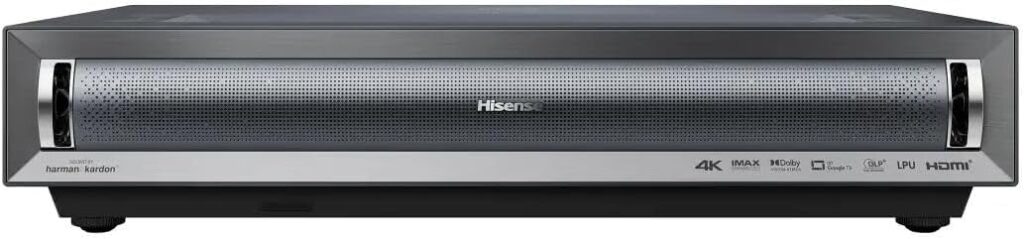
Home Theater • Ultra Short Throw Hisense PX3-PRO Ultra Short Throw Triple Laser Projector: Big-Screen Cinema from Your TV Stand The Hisense PX3-PRO is a 4K Ultra Short Throw triple laser projector that can create an 80–150 inch image from just inches away from the wall. With 3,000 lumens, 3000:1 contrast, Dolby Vision and Atmos, IMAX Enhanced support, and a 240Hz high refresh rate designed for Xbox, it’s built to replace a big-screen TV with something even more immersive. Hisense PX3-PRO Ultra Short Throw Projector Triple Laser 4K Dolby Vision & Atmos Google TV • Designed for Xbox Hisense PX3-PRO Ultra Short Throw Triple Laser Projector • 4K UHD • 80–150″ Check current price on Amazon↗ Quick Navigation PX3-PRO Overview: What This Projector Is Built For LPU Triple Laser Picture Quality & Color 80–150" Screen Size & Ultra Short Throw Setup Gaming on PX3-PRO: Designed for Xbox Smart Features with Google TV Key Specs at a Glance Who the Hisense PX3-PRO Is Perfect For PX3-PRO Overview: A Triple Laser TV Replacement, Not Just a Projector The Hisense PX3-PRO sits in a category often called a “laser TV” – an ultra short throw projector designed to live where a TV normally would. It uses a cutting-edge triple laser light source, a powerful AI processing engine, and built-in Google TV to give you the feel of a premium big-screen television, but at sizes up to 150 inches. LPU Technology (TriChroma) Pure red, green, and blue laser light from Hisense’s LPU Pro Laser Engine for ultra-realistic color, wide color gamut, and high accuracy across movies, sports, and games. 4K UHD with AI Upscaling Native 4K resolution backed by a 4K AI upscaler that sharpens lower-resolution content, making HD movies, TV shows, and streaming look detailed on screens up to 150 inches. 3000 Lumens & 3000:1 Contrast Bright enough to stand up to everyday living room light with punchy highlights, while the contrast ratio helps deliver deeper blacks and richer shadow detail. Dolby Vision, Dolby Atmos & IMAX Enhanced Premium HDR and audio formats combine with the triple laser engine to bring cinematic content and IMAX Enhanced titles to life with bigger impact and more detail. 🎯 Key Takeaway If you’re searching for a 4K ultra short throw projector that can realistically replace a large TV, the PX3-PRO is built around that exact use case: bright, colorful, and easy to place on a standard TV stand. Closer Look: Hisense PX3-PRO Design & Setup Hisense designed the PX3-PRO to look clean and intentional in a living room or dedicated theater. The photos below give you a better feel for how it fits in real spaces and how close it can sit to the wall. Ultra short throw placement on a TV stand Big-screen viewing in a bright modern room Rear connectivity for consoles & streaming devices Minimal, low-profile chassis design Works as a centerpiece in theater-style rooms Massive screen sizes with minimal throw distance View more photos & reviews on Amazon↗ LPU Triple Laser Picture Quality & BT.2020 110% Color The heart of the PX3-PRO is Hisense’s LPU Technology (TriChroma), which uses three separate lasers—red, green, and blue—to create the image. This is different from traditional lamp-based projectors or single-laser systems and unlocks a much wider and richer color experience. Super Wide Color Gamut (BT.2020 110%) The PX3-PRO can reach 110% of the BT.2020 color space, giving you intense, yet natural color that surpasses most TVs and projectors. Skin tones, skies, and scenery look more lifelike and nuanced. Pro AI Algorithms Hisense’s real-time AI engine analyzes scenes to boost brightness, refine contrast, and reduce noise, helping streaming content and lower-bitrate sources look cleaner on a large screen. DLP 4K with 2.07 Million Micromirrors A DLP system with millions of micromirrors helps keep images sharp and detailed even at 120–150 inches, while Hisense’s AI upscaling adds structure and clarity to HD sources. Why Triple Laser Matters in Real Use In everyday viewing, the PX3-PRO’s triple laser engine means animated films, sports jerseys, cinematic landscapes, and HDR highlights all have that extra “pop” without washing out or looking oversaturated. If you’re upgrading from a standard TV, the jump in color and scale is dramatic. Ultra Short Throw Simplicity: 80–150" from a Few Inches Away One of the biggest strengths of the PX3-PRO is how easy it is to live with. You don’t need ceiling mounts, long cables, or a dedicated throw distance. It’s designed to sit where a TV would normally go and still give you a huge image. 80–150" Screen Size Range PX3-PRO supports flexible screen sizes from a large 80-inch all the way up to a theater-level 150 inches, letting you tailor the image to your room, viewing distance, and screen. Ultra Short Throw Setup Because it uses ultra short throw optics, you can place it just inches from the wall or screen on a media console. No one walks through the beam, and there’s no need to drill into your ceiling. Great for Small Rooms & Apartments Even if you don’t have a long room or a dedicated theater, the PX3-PRO can still give you a wall-filling picture from a close distance, making it practical in tighter spaces. Setup Tip For the best results, pair the PX3-PRO with an ambient light rejecting (ALR) screen designed for ultra short throw projectors. It will help you maintain contrast and color in brighter rooms and really make the triple laser engine shine. Gaming on PX3-PRO: 240Hz High Refresh & Designed for Xbox If gaming is part of your setup, the Hisense PX3-PRO is built with responsiveness and smooth motion in mind. It’s “Designed for Xbox,” which means it’s tuned to work well with Xbox consoles and modern gaming features. Up to 240Hz High Refresh Rate A high refresh rate helps reduce motion blur in fast-paced games, making fast camera pans and quick action feel smoother and more responsive on a big screen. Designed for Xbox The PX3-PRO is optimized to pair with Xbox consoles for smooth,

Home Audio, What The Spec

Audio Receivers Explained Using Real-World Examples

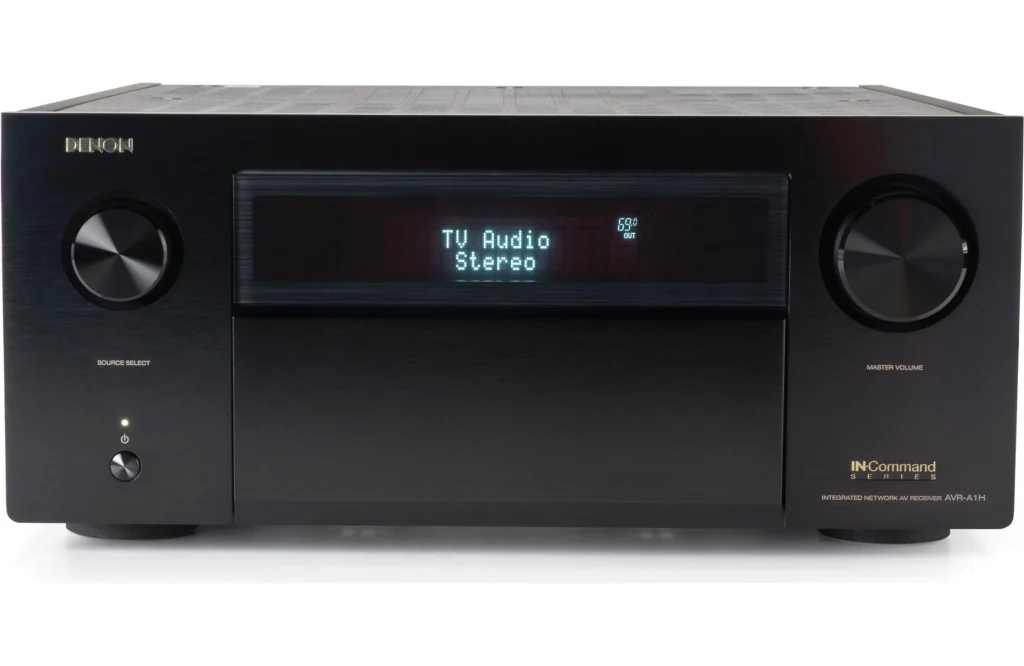
Home Audio • Receiver Types Audio Receivers Explained Using Real-World Examples Not all “receivers” are the same. Some are full home theater hubs, others are simple stereo brains, and a few are tiny devices that quietly make your existing system wireless. In this guide, we break down different types of receivers using real products you’ll actually see in stores and online, so you can match the right gear to the way you listen. AV Receivers Stereo Receivers Network Streamers Integrated Amplifiers Wireless Audio Quick Navigation The Main Types of Audio Receivers Real-World Examples and What They’re Best For Side-by-Side Comparison How to Choose the Right Type for Your Room Setup Tips to Get the Most From Your Receiver What Do We Mean by “Receiver”? Understanding the Different Families The word “receiver” gets used for a lot of different audio devices. Some are designed to be the heart of a full 5.1 home theater, some power a simple pair of bookshelf speakers, and some don’t power any speakers at all but add wireless or streaming features to gear you already own. To keep things simple, this guide will focus on six real products that represent six common categories: AV Receivers Built for movies and gaming, handling both audio and video with surround sound and HDMI switching. Stereo Receivers Focused on 2-channel listening, often with radio tuners and basic inputs for music-first setups. Network / Streaming Receivers Small streamers that bring AirPlay, casting, and multiroom audio to existing speakers and amps. Integrated Amplifiers Classic hi-fi units that combine a preamp and power amp to drive a pair of speakers with authority. Multi-Channel Amplifier Receivers Feature-heavy units that can power several zones, microphones, and sources in one box. Wireless Bluetooth Receivers Compact adapters that add Bluetooth streaming to traditional stereos and older receivers. 🎯 The Big Idea Instead of asking “What’s the best receiver?”, it helps to ask “What do I actually want this receiver to do in my room?” Once you know whether you’re chasing movie immersion, simple music, or just wireless convenience, the right category becomes much clearer. Real-World Examples: What Each Receiver Type Looks Like in Practice Let’s walk through six specific devices and see how they differ in purpose, strengths, and ideal use cases. AV Receiver • 5.1 Channel Yamaha RX-V385 Home Theater Hub A 5.1-channel AV receiver designed for people who want a true surround sound movie setup with 4K video support and straightforward Bluetooth streaming. Handles both audio and video through HDMI for clean, simple connections Supports 5.1 surround sound for immersive movie and TV watching 4K Ultra HD passthrough for modern TVs and streaming devices Bluetooth built in for wireless music from your phone or tablet Best fit: Living rooms or small home theaters where you want a real surround sound system with a center channel for dialogue and a clear upgrade over TV speakers or soundbars. Check price on Amazon↗ Stereo Receiver • 2 Channel Sony STR-DH190 Music-Focused A simple, music-first stereo receiver that pairs perfectly with bookshelf or tower speakers and even has a dedicated phono input for turntables. 2-channel design for clean, focused stereo sound Built-in phono input for vinyl turntables without extra boxes Bluetooth for easy wireless streaming Classic receiver layout with simple front-panel controls Best fit: Music listeners who care more about albums and playlists than explosions and surround sound, especially in bedrooms, offices, or small listening rooms. Check price on Amazon↗ Network Receiver • Streamer WiiM Mini AirPlay 2 Streaming Brain A tiny network audio streamer that adds AirPlay 2, hi-res audio, and multiroom control to amps, powered speakers, and existing receivers. Adds AirPlay 2, casting, and app control to non-smart systems Streams from services like Amazon Music, Tidal, Spotify, and more Works with Alexa and Siri for simple voice control Acts as a preamp, feeding powered speakers or an integrated amp Best fit: Anyone with a good set of speakers or a nice amp who just wants modern streaming and multiroom audio without replacing their whole system. Check price on Amazon↗ Integrated Amplifier • 2 Channel Yamaha A-S301BL Hi-Fi Stereo A natural-sounding integrated amplifier that combines a preamp and power amp in one box for clean, detailed two-channel listening. Designed for high-quality stereo music playback Analog and digital inputs for CD players, streamers, and TVs Phono input for turntables in a classic hi-fi setup More focus on sound quality than on extra smart features Best fit: Listeners who want a long-term, music-first system with a pair of good speakers and a focus on clarity, detail, and tone rather than surround effects. Check price on Amazon↗ Multi-Channel Receiver • 6 Channel Pyle PTA62BT.5 All-Purpose Amp A feature-packed amplifier/receiver that can send music to multiple speakers, host microphones, and handle Bluetooth, USB, and more in one unit. Up to six channels of amplified audio for multiple speakers Bluetooth connectivity plus USB and Micro SD options Microphone inputs with echo and talkover for announcements Useful for PA-style setups, parties, and multi-room background music Best fit: Small event spaces, home gatherings, or setups where you want music plus mic inputs and don’t necessarily need a traditional home theater receiver. Check price on Amazon↗ Wireless Receiver • Bluetooth Esinkin Bluetooth Audio Adapter Wireless Add-On A compact Bluetooth receiver that plugs into an existing stereo or receiver so you can stream music directly from your phone or tablet. Connects to AUX or RCA inputs on older stereos and receivers Makes legacy systems “wireless” without replacing any gear Pairs with phones, tablets, and laptops for quick music playback Stays tucked away and out of sight once installed Best fit: Anyone with a good old receiver or powered speakers that sound great but lack built-in Bluetooth or wireless streaming. Check price on Amazon↗ Side-by-Side: How These Receiver Types Compare at a Glance Here’s a quick look at how these examples differ in channels, main purpose, and the kind of setup they are most comfortable in. Product Type Channels / Role Core Use Case Yamaha RX-V385 AV

Home Audio

Audio Receivers: The Complete Home Theater Hub Guide

Home Audio • Technology Guide Audio Receivers: The Complete Home Theater Hub Explained Discover why an audio receiver is the essential brain of your home theater system. Learn how it solves connectivity chaos, powers immersive surround sound, and transforms your entertainment experience beyond what soundbars can achieve. Audio Receivers Home Theater Dolby Atmos AVR Guide Sound Systems Quick Navigation What is an Audio Receiver & What Does It Do? Receiver vs Soundbar vs Amplifier: Key Differences Why You Need a Receiver for True Home Theater 2024 Buying Guide: Choosing the Right Receiver Professional Setup Tips & Optimization What Does an Audio Receiver Actually Do? The Central Nervous System of Your Home Theater An audio receiver, specifically an Audio/Video Receiver (AVR), serves as the central command center for your entire home entertainment system. Think of it as the brain that processes all your audio and video signals, then distributes them to the appropriate components with perfect synchronization and quality enhancement. Signal Processing Decodes audio formats like Dolby Atmos, DTS:X, and processes video signals up to 8K resolution Amplification Powers multiple speakers simultaneously with clean, distortion-free audio across all channels Source Switching Manages multiple input devices (gaming consoles, streaming devices, Blu-ray players) seamlessly Room Calibration Automatically adjusts audio output to match your room’s specific acoustics and speaker placement 🎯 The Modern Receiver’s Core Functions Today’s receivers handle 4K/8K video passthrough, object-based audio decoding, multi-zone audio, and smart home integration. They’ve evolved from simple amplifiers to sophisticated media hubs that can power entire home entertainment ecosystems while providing room correction that rivals professional studio calibration. The Problem Audio Receivers Solve: Connectivity Chaos Before home theater receivers became mainstream, entertainment centers were tangled messes of cables and incompatible components. Each device required its own connections to both display and audio system, creating what professionals call “input management hell.” Modern receivers eliminate this chaos by serving as a single connection point. Your gaming console, streaming device, cable box, and Blu-ray player all connect to the receiver. The receiver then sends a single video signal to your television and powers all your speakers directly. This simplifies cabling, reduces input switching on your TV, and ensures perfect audio-video synchronization. Audio Receiver vs Soundbar vs Amplifier: Understanding the Critical Differences Complete Solution Audio/Video Receiver The All-in-One Hub Processes audio & video, amplifies speakers, manages all inputs Multi-channel amplification (5.1 to 11.2+ channels) Advanced audio decoding (Dolby Atmos, DTS:X) 4K/8K video passthrough with HDR Room correction technology Multi-zone audio capability Extensive input/output options Future-proof upgrade path Best For: Dedicated home theaters, audiophiles, future upgraders, multi-room audio systems Simplified Audio Soundbar System The Space-Saver All-in-one speaker solution with basic processing Integrated speakers and amplification Limited audio processing Basic connectivity (HDMI, optical, Bluetooth) Virtual surround sound Compact, minimal setup Wireless subwoofer options Fixed configuration Best For: Small rooms, secondary TVs, minimalists, renters, budget-conscious buyers Audio-Focused Stereo Amplifier The Pure Audio Solution Amplifies audio signals only, no video processing 2-channel stereo amplification High-quality audio components Limited inputs (RCA, XLR, phono) No video processing capability Superior sound quality for music Simplified operation Audiophile-grade construction Best For: Music listening, stereo systems, audiophiles, vinyl enthusiasts Why Soundbars Can’t Match Receiver Performance While soundbars offer convenience and space savings, they fundamentally compromise on audio quality and flexibility. The physical limitations of cramming multiple drivers into a single enclosure prevent soundbars from achieving true channel separation and proper soundstage imaging. Feature Audio Receiver Soundbar Stereo Amplifier Channel Support 5.1 to 11.2+ channels 2.1 to 5.1.2 (virtualized) 2.0 channels only Audio Formats Dolby Atmos, DTS:X, Auro-3D Dolby Digital, DTS (basic) Stereo PCM Power per Channel 80-150 watts (dedicated) 20-50 watts (shared) 50-200 watts (high-quality) Input Options 6-8 HDMI, analog, digital 1-2 HDMI, optical RCA, XLR, phono Upgrade Path Full system upgrades Limited to manufacturer Speaker upgrades only Room Correction Advanced (Audyssey, Dirac) Basic EQ presets None Why You Absolutely Need a Receiver for True Home Theater Experience Building a home theater without a receiver is like building a sports car without an engine. You might have beautiful components, but they won’t work together to deliver the performance you’re expecting. Here’s why a receiver is non-negotiable for serious home theater enthusiasts. True Object-Based Audio Dolby Atmos and DTS:X require dedicated processing that only receivers provide, placing sounds precisely in 3D space Proper Power Distribution Each speaker gets dedicated amplification, ensuring dynamic range isn’t compromised during intense scenes Future-Proof Connectivity HDMI 2.1, 8K support, eARC, and new audio formats ensure your system remains current for years Professional Room Optimization Advanced calibration systems measure your room’s acoustics and automatically correct for imperfections 🏠 Real-World Benefits You’ll Actually Notice With a proper receiver, you’ll experience dialogue that’s crystal clear even during explosive action scenes, bass that you feel in your chest without being muddy, and surround effects that actually sound like they’re coming from the correct directions. The difference isn’t subtle—it’s the difference between watching a movie and being immersed in it. The Upgrade Path Advantage One of the most significant advantages of receiver-based systems is their modular nature. Start with a basic 5.1 system and gradually add height channels for Dolby Atmos, then add a second subwoofer for smoother bass distribution, then upgrade to 7.2.4 for the ultimate immersive experience. With soundbars, you’re locked into whatever configuration you purchased. This modular approach also applies to individual components. You can upgrade speakers while keeping your receiver, or upgrade your receiver while keeping your speakers. This flexibility saves money long-term and allows you to continuously improve your system as technology advances and your budget allows. 2024 Audio Receiver Buying Guide: Choosing the Perfect Model for Your Needs Selecting the right receiver can be overwhelming with dozens of models and specifications to consider. This buying guide breaks down exactly what to look for based on your specific needs and budget. 1 Determine Your Channel Needs 5.1: Basic surround sound (entry-level) 7.2: Enhanced surround (mid-range) 5.1.2/7.2.4: Dolby Atmos with height channels 9.2+: Premium immersive audio Choose based on room size and desired immersion level

Hisense, Televisions

Ultimate Home Theater: Hisense 100-inch Mini-LED TV & Soundbar Bundles

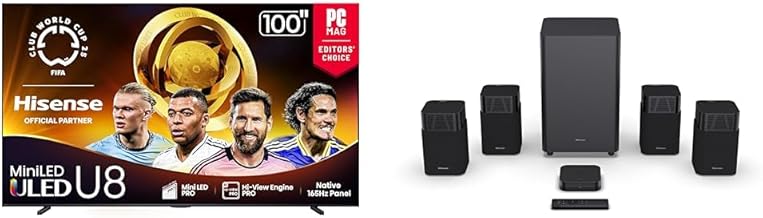
Home Theater • Product Bundles Ultimate Home Theater: Hisense 100-inch Mini-LED TV & Saturn Soundbar Bundles Experience true cinematic immersion with Hisense’s massive 100-inch Mini-LED TVs paired with the premium HT Saturn 4.1.2Ch Dolby Atmos soundbar. These complete home theater bundles deliver theater-quality picture and sound that will redefine your entertainment experience. 100-inch TVHisense U8Home TheaterDolby Atmos Flagship Pro Hisense 100U8QG Mini-LED 4K UHD Smart Google TV + HT Saturn 4.1.2Ch Sound Bar $4,397.98 Professional-grade home theater with 5000 nits peak brightness, 5000 local dimming zones, and the premium HT Saturn 4.1.2Ch Dolby Atmos soundbar system. TV Specifications Display Size 100 inches Peak Brightness 5000 nits Dimming Zones 5000 Refresh Rate 165Hz Native VRR 288Hz Sound System Soundbar HT Saturn 4.1.2Ch Audio Format Dolby Atmos & DTS:X Subwoofer Wireless Connectivity Bluetooth 5.3, 4K HDMI Smart Features Hi-Concerto, 5 EQ Modes 5000 Nits Brightness – Industry-leading peak brightness for stunning HDR 5000 Dimming Zones – Precision local dimming eliminates halos 4.1.2 Dolby Atmos – True overhead sound with up-firing speakers 288Hz VRR Gaming – AMD FreeSync Premium Pro with ultra-low latency View U8 Bundle on Amazon Premium Performance Hisense 100U75QG Mini-LED 4K UHD Smart Google TV + HT Saturn 4.1.2Ch Sound Bar $3,097.99 Exceptional home theater value with 3000 nits brightness, 3000 local dimming zones, and the same premium HT Saturn 4.1.2Ch Dolby Atmos soundbar system. TV Specifications Display Size 100 inches Peak Brightness 3000 nits Dimming Zones 3000 Refresh Rate 165Hz Native VRR 288Hz Sound System Soundbar HT Saturn 4.1.2Ch Audio Format Dolby Atmos & DTS:X Subwoofer Wireless Connectivity Bluetooth 5.3, 4K HDMI Smart Features Hi-Concerto, 5 EQ Modes 3000 Nits Brightness – Exceptional HDR performance with brilliant highlights 3000 Dimming Zones – Advanced local dimming for deep blacks 4.1.2 Dolby Atmos – True overhead sound with up-firing speakers 288Hz VRR Gaming – AMD FreeSync Premium Pro for smooth gameplay View U7 Bundle on Amazon Complete Home Theater Solution Both bundles include the premium HT Saturn 4.1.2Ch Dolby Atmos soundbar, eliminating the guesswork of matching TVs with sound systems. Get perfectly calibrated picture and sound that work seamlessly together. HT Saturn 4.1.2Ch Soundbar: Premium Dolby Atmos Audio Both bundles include the same premium HT Saturn soundbar system, delivering true cinematic audio that perfectly complements the massive 100-inch displays. 🔊 4.1.2 Channel Four main channels, wireless subwoofer, and two up-firing speakers for true Dolby Atmos overhead effects 🌐 Dolby Atmos & DTS:X Advanced surround sound formats create a three-dimensional soundscape with precise object-based audio 📶 Bluetooth 5.3 Latest Bluetooth technology for stable wireless streaming from your devices 🔄 Hi-Concerto Seamlessly integrates TV speakers with soundbar for expanded sound field and immersive audio experience 🎛️ 5 EQ Modes Optimize sound for movies, music, sports, news, or night mode with customizable audio profiles 📺 4K HDMI Pass-Through Connect all your 4K devices directly to the soundbar with HDMI ARC/eARC support Why 100-inch TV Bundles Transform Home Entertainment A 100-inch television isn’t just a bigger screen—it’s an entirely different viewing experience. When paired with the premium HT Saturn 4.1.2Ch Dolby Atmos soundbar system, these Hisense bundles create a home theater that rivals commercial cinemas. The combination of massive scale, cutting-edge Mini-LED technology, and immersive audio represents the pinnacle of home entertainment technology. 🎬 True Dolby Atmos Experience The HT Saturn 4.1.2Ch soundbar delivers genuine overhead audio with up-firing speakers. Unlike traditional soundbars that simulate height channels, the Saturn’s dedicated upward-firing drivers bounce sound off your ceiling to create authentic overhead effects. Combined with the massive 100-inch screen, the result is a fully immersive experience that places you at the center of the action. Mini-LED Pro Technology: Picture Quality Revolution Both the U8 and U7 bundles feature Hisense’s advanced Mini-LED Pro technology, which represents the most significant advancement in LCD television performance. The key difference lies in the scale of implementation, with the U8 offering professional-grade specifications. Feature U8 Bundle U7 Bundle Peak Brightness 5000 nits 3000 nits Local Dimming Zones 5000 zones 3000 zones Contrast Control Professional precision Advanced performance HDR Impact Reference-grade Exceptional quality Anti-Reflection Pro Yes Yes Hi-View AI Engine Pro Yes Yes Gaming Performance: 288Hz VRR & Game Mode Ultra These bundles aren’t just for movie enthusiasts—they’re incredible gaming displays with professional-grade gaming features that competitive gamers demand. Both models share the same advanced gaming capabilities. Shared Gaming Features Native 165Hz Panel: Ultra-smooth motion 288Hz VRR: Ultra-fast variable refresh rate AMD FreeSync Premium Pro: Tear-free gaming Game Mode Ultra: Optimized settings Auto Low Latency Mode: Reduced input lag Game Bar: On-screen controls Audio Advantage Dolby Atmos Gaming: 3D positional audio Hi-Concerto Integration: TV + soundbar synergy 5 EQ Modes: Game-optimized sound Wireless Subwoofer: Room-shaking bass Bluetooth 5.3: Low-latency wireless Room Calibration: Optimized for your space Smart Integration & Connectivity Both bundles feature seamless integration between the Google TV smart platform and the HT Saturn soundbar, creating a unified entertainment ecosystem that’s both powerful and easy to use. 🔗 Complete Connectivity Suite HDMI Connectivity 4K HDMI pass-through with ARC/eARC support Wireless Options Bluetooth 5.3, Wi-Fi, EzPlay wireless streaming Input Options HDMI, AUX, Optical, USB for maximum flexibility Voice Control Google Assistant built-in for hands-free operation Making the Right Choice Both bundles include the same premium HT Saturn 4.1.2Ch Dolby Atmos soundbar system, ensuring exceptional audio quality regardless of which TV you choose. The decision comes down to your picture quality requirements and budget. Choose the U8 bundle if: You demand the absolute best picture quality available with 5000 nits brightness and 5000 dimming zones, have a dedicated home theater room with controlled lighting, and want reference-grade HDR performance that matches professional cinema standards. Choose the U7 bundle if: You want exceptional home theater performance at an outstanding value, with 3000 nits brightness and 3000 dimming zones that deliver 90% of the U8’s performance while saving $1,300. Perfect for bright living rooms and viewers who want premium quality without the flagship price. Either choice transforms your space into a genuine cinematic experience, combining massive scale with cutting-edge technology and immersive Dolby Atmos

What The Spec

HDR Unlocked: Why High Dynamic Range is the Most Important TV Feature You’re Not Using

Technology Explained • HDR & HDR10 HDR Unlocked: Why High Dynamic Range is the Most Important TV Feature You’re Not Using HDR isn’t just another marketing term—it’s the single most significant advancement in television technology since the jump to 4K. Discover how High Dynamic Range transforms ordinary content into breathtaking visual experiences and why your next TV absolutely must have it. HDR TechnologyHDR104K TVPicture Quality HDR vs SDR: The Visual Revolution You Can Actually See Standard Dynamic Range SDR – The Old Standard Limited color and brightness range that has been the television standard for decades Limited Color Range 100 nits peak brightness Rec. 709 color space 16.7 million colors 8-bit color depth Basic contrast ratio High Dynamic Range HDR – The New Standard Expanded color and brightness that delivers life-like images with incredible realism Expanded Color Range 1000+ nits peak brightness Rec. 2020 color space 1.07 billion colors 10-bit color depth Enhanced contrast ratio What Exactly is HDR? Breaking Down the Technology High Dynamic Range (HDR) represents a fundamental shift in how televisions display images. Unlike resolution (4K, 8K) which simply adds more pixels, HDR improves the quality of every single pixel by expanding two key aspects: brightness range and color gamut. Think of it this way: if 4K gives you more pixels, HDR makes every pixel better. Traditional Standard Dynamic Range (SDR) televisions are limited to about 100 nits of brightness and the Rec. 709 color space, which covers roughly 35% of the colors visible to the human eye. HDR shatters these limitations, supporting brightness levels up to 10,000 nits (though current consumer TVs typically reach 1000-2000 nits) and the Rec. 2020 color space, which covers about 75% of visible colors. Beyond Resolution: Why HDR Matters More Than 8K Most viewers can’t distinguish between 4K and 8K at normal viewing distances, but everyone can see the difference HDR makes. While resolution adds detail, HDR adds depth, realism, and emotional impact. A 4K HDR image will consistently look more impressive than an 8K SDR image because HDR affects the fundamental building blocks of image quality. The Brightness Revolution: From Dim to Dynamic The most immediately noticeable aspect of HDR is its dramatic expansion of brightness capabilities. This isn’t about making the entire picture brighter—it’s about creating a wider range between the darkest darks and brightest brights within the same image. SDR TV 100 nits peak Basic HDR TV 500-800 nits Premium HDR TV 1000-2000 nits Professional HDR 4000-10000 nits This expanded brightness range allows HDR content to display details that were previously lost. You can now see the subtle texture in dark shadows while simultaneously appreciating the brilliant glow of sunlight or specular highlights. In practical terms, this means you can see the individual threads in a black suit while also seeing the realistic glare of sunlight on water—all in the same shot. The impact is particularly dramatic in scenes with high contrast: a campfire at night, city skylines at dusk, or sunlight filtering through windows. These scenes come alive with HDR in a way that’s simply impossible with SDR technology. The Color Explosion: Beyond What You Thought Possible If brightness expansion is HDR’s first act, the color revolution is its stunning finale. HDR supports significantly more colors than SDR, moving from 16.7 million colors to over 1 billion colors. But the real magic isn’t in the number—it’s in the quality and saturation of those colors. 🎨 Wider Gamut Covers 75% of visible colors vs 35% with SDR, making everything more vibrant and natural 🌈 Better Saturation Colors maintain their intensity at all brightness levels, preventing washed-out images 🎯 Precision Colors 10-bit color depth allows for smooth gradients without banding or color stepping The expanded color gamut means that HDR can display colors that were previously outside the range of television technology. Think of the intense red of a Ferrari, the deep cyan of tropical waters, or the vibrant green of rainforest foliage. With HDR, these colors appear with an intensity and realism that closely matches how we see them in real life. More importantly, HDR maintains color accuracy across the entire brightness spectrum. In SDR, bright colors often appear washed out, and dark colors can look muddy. HDR preserves color saturation and accuracy whether you’re looking at a bright sky or a dark shadow, creating a more consistent and realistic image throughout. HDR10: The Universal Standard Explained HDR10 is the baseline HDR format that every HDR-compatible television must support. It’s an open standard that doesn’t require licensing fees, making it widely adopted across streaming services, Ultra HD Blu-ray, and gaming consoles. Universal Standard HDR10 Compatibility: Supported by all HDR devices Color Depth: 10-bit (1.07 billion colors) Metadata: Static (set once per movie/show) Brightness: Up to 4000 nits Content: Netflix, Amazon, Disney+, UHD Blu-ray Premium Format Dolby Vision Compatibility: Premium TVs and devices Color Depth: 12-bit (68.7 billion colors) Metadata: Dynamic (scene-by-scene) Brightness: Up to 10,000 nits Content: Netflix, Disney+, Apple TV+ Enhanced Standard HDR10+ Compatibility: Samsung, Amazon, 20th Century Color Depth: 10-bit (1.07 billion colors) Metadata: Dynamic (scene-by-scene) Brightness: Up to 4000 nits Content: Amazon Prime Video, Fox titles HDR10 uses static metadata, which means the television receives one set of instructions for the entire movie or show. This tells the TV the maximum brightness and color capabilities of the content, allowing it to optimize its display settings accordingly. While not as sophisticated as Dolby Vision’s scene-by-scene optimization, HDR10 still provides a massive improvement over SDR. The beauty of HDR10 is its universality. Whether you’re watching Netflix on your smart TV, playing a game on your PlayStation 5, or watching a 4K Blu-ray, HDR10 ensures you’re getting the best possible picture quality that device can deliver. It’s the foundation upon which all other HDR formats are built. Real-World Benefits: How HDR Transforms Your Viewing Experience Understanding the technical specifications is one thing, but experiencing the practical benefits is what truly matters. HDR doesn’t just make pictures “better”—it changes how you engage with content on an emotional level.

What The Spec

TV Mount Mastery: Choosing the Perfect Mount for Your Setup

Installation Guide • TV Mounts TV Mount Mastery: How to Choose the Perfect Mount for Your Setup (And Avoid Costly Mistakes) Choosing the wrong TV mount can lead to wobbling screens, limited viewing angles, or even damaged walls. Our comprehensive guide breaks down fixed, tilt, and full-motion mounts to help you make the right choice for your space, TV size, and viewing habits. TV MountsInstallationHome TheaterWall Mounting Quick Guide: Which Mount Type is Right For You? Single viewing position, modern look Choose Fixed Mount – Flush to wall, most affordable, perfect when you know the ideal height Glare issues or above fireplace Choose Tilt Mount – 5-15° adjustment to reduce glare and improve viewing angles Multiple viewing areas or corners Choose Full Motion – Extends, tilts, and swivels for maximum flexibility The Three Main Mount Types Explained Most Affordable Fixed Wall Mount The minimalist choice for permanent, flush-to-wall installations where adjustment isn’t needed $20-50 Price Range 0″ Extension 100 lbs Max Weight Best For: Dedicated media rooms Perfect eye-level placement Modern, minimalist decor Budget-conscious installations Single viewing position Best Value Tilt Wall Mount Adjustable vertical angle for glare reduction and flexible viewing in challenging rooms $30-80 Price Range 1-3″ Extension 100 lbs Max Weight Best For: Above fireplace installations Rooms with glare issues Multiple seating heights Improved sound projection Moderate flexibility needs Maximum Flexibility Full Motion Mount Complete positioning flexibility with tilt, swivel, and extension for multi-purpose rooms $50-150+ Price Range 10-24″ Extension 130 lbs Max Weight Best For: Open concept living spaces Multiple viewing areas Corner installations Exercise/gaming rooms Maximum positioning options Choosing Based on Your TV Size and Weight Television size and weight directly influence your mount selection. Larger, heavier televisions require more robust mounting solutions with higher weight capacities and potentially different VESA patterns. Small TVs (32-49″) Weight: 15-35 lbs VESA Patterns: 100×100 to 200×200 Mount Recommendation: All types suitable Installation: DIY-friendly Budget: $20-60 range Medium TVs (50-65″) Weight: 35-70 lbs VESA Patterns: 200×200 to 400×400 Mount Recommendation: Mid-range quality Installation: DIY with caution Budget: $40-100 range Large TVs (70″+) Weight: 70-130+ lbs VESA Patterns: 400×400 to 600×400 Mount Recommendation: Premium required Installation: Professional recommended Budget: $80-200+ range For televisions under 50 inches, most quality mounts from reputable brands will provide adequate support. Between 50-65 inches, you should carefully evaluate weight capacity and build quality. For televisions larger than 70 inches, invest in premium mounts specifically designed for heavy, large-panel displays, and consider professional installation to ensure safety. Weight Capacity Guide Understanding weight capacity is crucial for safety. Always choose a mount rated for at least 1.5 times your TV’s actual weight to account for dynamic forces and ensure long-term reliability. Up to 50 lbs Small TVs & Basic Mounts 50-100 lbs Medium TVs & Standard Mounts 100-150 lbs Large TVs & Premium Mounts 150+ lbs Commercial & Extra Large TVs Ready to Find Your Perfect TV Mount? Browse our curated selection of quality TV mounts for every need and budget Shop TV Mounts on Amazon

What The Spec

Smart TV Shopping: How to Find Quality in Budget TVs Without Getting Burned

Buying Guide • Budget TVs The Budget TV Trap: What Cheap Televisions Don’t Tell You (And Why Spending $200 More Changes Everything) That $300 TV seems like a great deal until you realize what you’re missing. We uncover the hidden costs of inexpensive televisions and reveal why spending slightly more can transform your viewing experience from frustrating to fantastic. Learn what features actually matter and which “bargains” will leave you disappointed. Budget TVsBuying GuideTV FeaturesValue Comparison See the Difference: Budget vs Mid-Range vs Premium Compare how key features change across different price tiers. The differences might surprise you. Budget TV $250-400 Basic HDR 60Hz No Local Dimming Basic Smart TV Price Tier: Budget Mid-Range Premium $250-400 Price Range 250 nits Peak Brightness 3000:1 Contrast Ratio 70% DCI-P3 Color Gamut What You Get Basic 4K resolution with limited HDR 60Hz refresh rate, noticeable motion blur Simple edge-lit backlight, poor blacks Slower smart TV interface Plastic construction, basic remote The $200 Upgrade That Changes Everything Budget Tier $250-400 Basic 4K TV, entry-level features Basic HDR (often just HDR10) 60Hz refresh rate Edge-lit backlight Slower processor Limited app support Mid-Range $450-700 Sweet spot for most viewers True HDR with wider color 120Hz refresh rate Full array backlight Faster smart platform Better motion handling Premium $800-1200 Home theater experience Mini-LED or OLED Advanced HDR formats Local dimming zones Premium build quality Gaming features The Allure of the Budget TV: Why We’re Drawn to Low Prices There’s something undeniably appealing about walking into a store and seeing a 65-inch 4K TV for under $400. The price seems too good to be true, and in many ways, it is. Manufacturers have become incredibly skilled at hitting aggressive price points while making the specifications sheet look impressive on the surface. The reality is that these budget televisions achieve their low prices through significant compromises that aren’t always obvious until you get the TV home and set it up. The biggest misconception about budget TVs is that “4K is 4K” – meaning that all 4K televisions should provide roughly the same picture quality. Nothing could be further from the truth. While they may share the same 3840×2160 resolution, the components that create that image – the backlighting system, the color filters, the image processor, and the panel quality itself – vary dramatically between a $300 TV and an $800 TV. 📺 The Resolution Myth 4K resolution alone doesn’t guarantee a good picture. Many budget TVs have poor contrast, limited color reproduction, and inadequate brightness that make the extra pixels almost meaningless. A good 1080p TV from five years ago might actually provide a better viewing experience than a cheap 4K TV today because of superior processing and contrast performance. Where Budget TVs Cut Corners (And Why It Matters) 💡 Backlight Systems Budget TVs use simple edge-lit systems that create uneven lighting and poor black levels. Premium models use full-array backlights with local dimming for superior contrast. 🎨 Color Performance Cheap TVs often cover only 70-80% of the DCI-P3 color space, resulting in washed-out colors. Mid-range models typically reach 90-95%, making HDR content actually look impressive. ⚡ Processing Power Underpowered processors lead to slow smart TV interfaces, poor upscaling of HD content, and limited motion handling. This is especially noticeable with sports and fast-action content. The backlighting system is one of the most significant differentiators between budget and mid-range televisions. Budget models typically use edge-lit systems where LEDs are placed only along the edges of the panel. This creates several problems: uneven backlight distribution (often visible as brighter edges or dark corners), poor black levels because the entire screen can’t dim selectively, and limited peak brightness that makes HDR content look dull. Mid-range televisions typically move to full-array backlighting, where LEDs are distributed across the entire panel. Even more importantly, they often include local dimming zones that can brighten or darken specific areas of the screen independently. This technology dramatically improves contrast – the difference between the brightest whites and darkest blacks – which is arguably more important to perceived picture quality than resolution itself. The $200 Upgrade: What You Actually Get Moving from the $300-400 range to the $500-700 range represents one of the most significant value jumps in television pricing. For that additional investment, you’re not just getting incremental improvements – you’re getting fundamental changes to the display technology that transform the viewing experience. 🔄 120Hz Refresh Rate Smoother motion for sports and gaming, plus better motion interpolation 💎 Full Array Backlight Even lighting across the entire screen with significantly better contrast 🌈 Wider Color Gamut 90%+ DCI-P3 coverage makes HDR content actually look like HDR The jump to 120Hz refresh rate is particularly transformative. While 60Hz panels can display 60 frames per second, 120Hz panels provide significantly smoother motion handling. This matters for three key reasons: sports content appears cleaner with less blur, movie content benefits from better motion interpolation (though this should be used judiciously), and gaming becomes dramatically better with support for higher frame rates and variable refresh rate technologies. Perhaps the most underappreciated upgrade is the improved image processing. Mid-range televisions use significantly more powerful processors that provide better upscaling of HD content to 4K, more natural motion handling, and smarter local dimming algorithms. This means your regular HD cable or streaming content will look noticeably better, not just native 4K HDR material. Smart TV Platforms: The Hidden Performance Killer Many buyers focus exclusively on picture quality without considering the smart TV platform, but this can be a critical mistake. Budget televisions often use underpowered processors and limited RAM, resulting in slow, frustrating smart TV experiences. Menu navigation becomes laggy, apps take forever to load, and streaming services may crash or buffer unexpectedly. 📱 Smart TV Performance Comparison Budget TVs 15-30 second app load times, frequent lag, limited app updates Mid-Range TVs 5-10 second app loads, smooth navigation, regular platform updates Solution Consider external streaming devices if keeping a budget TV long-term The smart platform performance issue becomes more pronounced over time.

Technichole is an Orlando, Florida–based home theater review site focused on TVs, soundbars, and smart setups that fit real homes and real budgets. We provide clear, honest guidance to help you build the perfect entertainment space without the hype.

© 2025 Created with 407 Development

Scroll to Top